

Getting More from Microsoft Teams: New Opportunities in Business Calling for Service Providers
4.6 min read
Microsoft Teams has become an integral part of business communication, but its growing adoption does not eliminate the need for professional business telephony. Many businesses still rely on existing phone systems to manage business numbers, call routing, and other calling needs. This creates a need to connect Teams with existing telephony environments. For Service Providers, it is an opportunity to help customers bring business calling into their Teams workflows while extending the value of their existing communications services.
Key Takeaways
-
Microsoft Teams adoption does not eliminate the need for business telephony or existing phone systems.
-
Integrating Teams with a PBX helps businesses retain existing telephony capabilities while bringing business calling into their Teams workflows.
-
Yeastar helps service providers deliver Teams calling through an embedded Teams app & direct routing, without requiring additional Teams Phone licenses or Calling Plans, while extending Teams with features like IVR, ring groups, and more, plus 500+ IP phone compatibility.
Microsoft Teams Is Reshaping Business Communication
The Growing Adoption of Microsoft Teams
Microsoft Teams has established a significant presence in the business communication market, with more than 320 million monthly active users across 181 markets and 44 languages (from Microsoft Teams: Building a Foundation for the Future). Beyond its user base, Teams has developed a broad application ecosystem, with more than 2,000 apps in the Teams Store and over 145,000 custom line-of-business apps built by organizations (from Year in Review: Microsoft Copilot, Teams, and Our Partners). Together, these figures illustrate the scale of Teams and its role as more than a standalone messaging and meeting tool. As businesses use Teams alongside other business applications, it has become an important part of the enterprise communication landscape.
Teams as Part of the Business Communication Environment
Teams brings together messaging, meetings, and collaboration in one platform. Through integrations with many business applications, it supports a range of everyday work activities. However, Teams adoption does not necessarily mean that every communication function must be handled within Teams alone. A 2026 survey by Cavell found that 31% of surveyed organizations integrated a third-party phone system with their main collaboration platform. This reflects how businesses may use collaboration tools alongside separate telephony systems to meet their communication needs.
Why Teams Alone May Not Be Enough for Business Calling
Teams adoption does not mean that every business calling requirement can be met by Teams’ built-in capabilities alone. While Microsoft Teams Phone supports external calling and essential call management features, businesses with more specialized telephony needs may require additional capabilities or integration with existing systems. For businesses evaluating their calling setup, several practical considerations may influence whether Teams Phone alone is sufficient:
- Limited Call Routing Flexibility: Teams offers basic call handling through features such as auto attendants and call queues. However, businesses with more complex telephony workflows may need greater flexibility in routing calls, configuring ring groups, and applying customized call distribution rules than Teams’ built-in capabilities provide.
- Call Continuity Risks: While Microsoft offers a 99.999% uptime SLA for Teams Phone (from No Jitter), this does not guarantee end-to-end calling availability. Local network outages, internet disruptions, and failures in third-party infrastructure can still affect call availability. Maintaining reliable business communications therefore requires more than relying on the availability of the cloud service alone.
For businesses with more demanding telephony needs, extending Teams with a third-party phone system can offer a practical way to bridge the gap. This creates an opportunity for service providers to deliver more comprehensive business calling solutions to Teams customers.

Bringing Business Calling to Microsoft Teams with Yeastar
Microsoft Teams adoption doesn’t have to mean leaving existing telephony investments behind. With Yeastar, Service Providers can help customers combine Teams with business calling capabilities through two integration approaches, depending on communication needs and preferred user experience.
Yeastar Linkus for Microsoft Teams
Yeastar Linkus for Microsoft Teams brings Yeastar P-Series PBX capabilities right into the Microsoft Teams interface by embedding the Linkus as an app. With no middleware to deploy and no additional Microsoft Teams phone license or calling plan to purchase, it offers a seamless way to bring business calling into existing Teams environment.
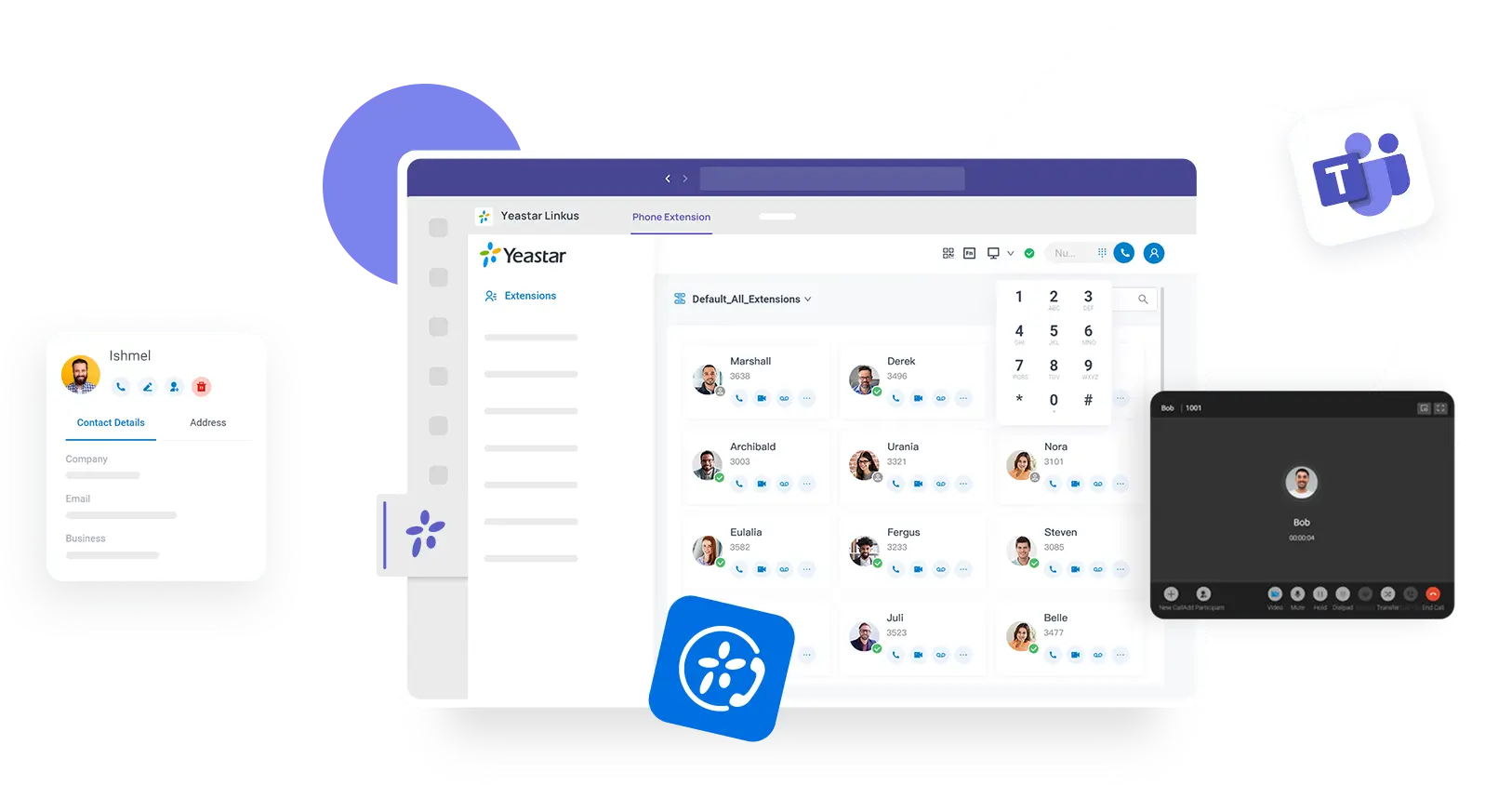
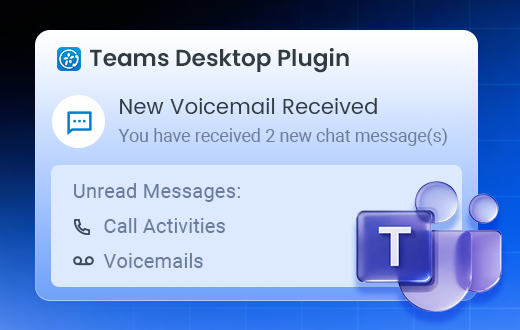
Users can make and receive calls, view call history, play or download voicemails and call recordings, and access the Linkus Web Client with one-click sign-in. In addition, the Yeastar for Teams Desktop Plugin helps users stay on top of calls and messages without constantly switching applications. Running in the background, it provides desktop pop-up alerts for incoming calls and messages, supports one-click call answering, and allows users to dial internal extensions or external numbers directly from the plugin. Together, these capabilities can deliver a more convenient calling experience for customers.
Direct Routing via Call2Teams
While Linkus for Microsoft Teams embeds the Linkus Web Client into Teams, Call2Teams can also connects Teams users with P-Series PBX extensions, allowing them to make and receive calls directly in the Teams interface. Businesses can retain their existing phone numbers and SIP devices without requiring Teams-compatible handsets. Teams users can also make free internal calls to colleagues using PBX extensions, even if those colleagues do not use Teams. For Service Providers, Call2Teams is a suitable option for customers who want a native Teams dialing experience while continuing to use their existing PBX telephony resources.
Why Yeastar’s Microsoft Teams Integration Solution
Reduce the Cost of Bringing Voice to Teams
Adding business calling to Microsoft Teams can involve additional licensing and calling plan costs. Yeastar offers cost-effective alternatives which allow users to access business calling within Teams without purchasing additional Teams licenses or Microsoft Calling Plans. For service providers, this creates an opportunity to offer Teams-integrated business calling with a lower upfront investment in additional telephony infrastructure. By reducing the need for additional licenses, they can deliver a budget-friendly solution that makes Teams calling more accessible to customers.
Keep Existing Phones While Extending Teams Calling
Integrating business calling with Microsoft Teams doesn’t have to mean replacing existing telephony devices. Yeastar P-Series supports 500+ IP phones from brands such as Yealink, Fanvil, Cisco, Snom, Poly, Gigaset, and more, with auto-provisioning available for supported models. Yeastar VoIP gateways also enable businesses to connect existing analog phones to the phone system. This flexibility helps customers retain more of their existing telephony investment and gives service providers more options for integrating Teams calling into different customer environments.
Bring Advanced Business Communications to Teams
With Yeastar and Microsoft Teams integration, users can make and receive business calls through Teams while leveraging the telephony capabilities of Yeastar P-Series PBX. These include flexible call routing, multi-level IVR, and ring groups to handle different call flows and distribute calls according to business needs. This enables service providers to extend Teams beyond basic calling and meet more specialized telephony requirements through Yeastar’s PBX capabilities.
Ready to Explore More?
See how Yeastar and Microsoft Teams work together in practice. Start your 30-day free trial to test the integration, explore its capabilities, and evaluate how it can meet your customers’ telephony requirements.