
P-Series V25.3 BETA & YCM Updates: Message Flow Designer, Teams Desktop Plugin, and Plan-bound RMP
6.6 min readRelease Overview
P-Series Phone System V25.3 BETA delivers comprehensive upgrades to messaging capabilities, ensures a seamless calling and messaging experience within Teams, and streamlines daily administration. In parallel, the Yeastar Central Management platform expands capabilities across remote management service, branding, and call control. Core updates include:
| Feature | Summary | Configuration Guide |
|---|---|---|
| Message Flow Designer | A low-code visual flow designer that builds automated message flows (auto-responder, simple chatbot, etc.) for SMS, WhatsApp, Facebook Messenger, Live Chat, and campaigns. | Message Flow Designer |
| Yeastar for Teams Desktop Plugin | A Teams desktop plugin that runs in the background, with pop-up call answering and new-message alerts. | Yeastar for Linkus Desktop Plugin |
| Simplified Voice Prompt Management | Manage voice prompts directly in business scenarios, with bulk editing, in-place replacement, and rename-only updates. | Voice Prompt |
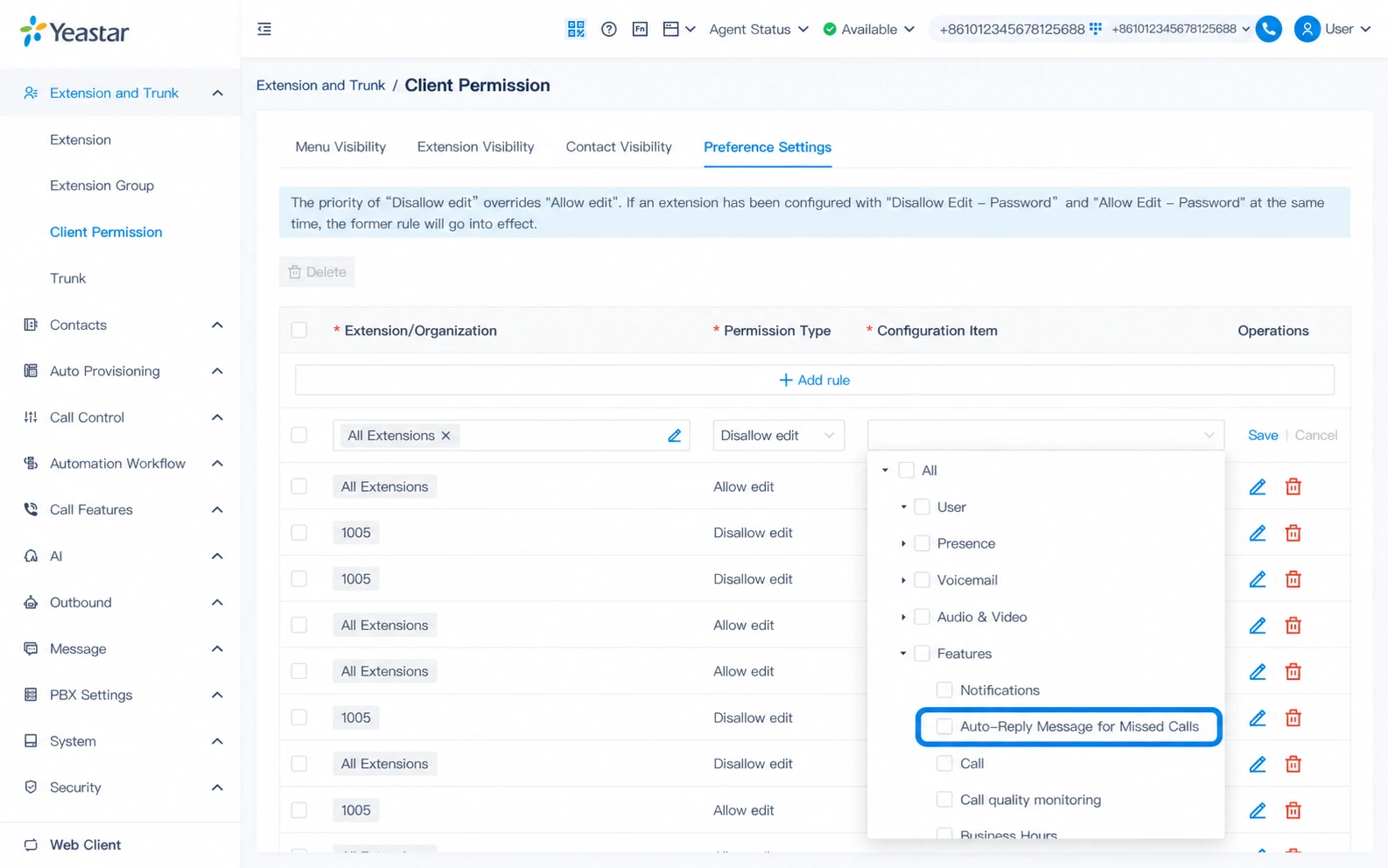
| Auto-Reply Message for Missed Calls | Automatically send a predefined SMS or WhatsApp reply to callers whose inbound calls go unanswered. | Auto-Reply Message for Missed Calls |
Release Note: Cloud Edition | Appliance Edition | Software Edition
PBX New Features
Message Flow Designer
Message Flow Designer (MFD) is a low-code visual workflow builder designed to automate high-frequency chat and messaging processes, such as time-based intelligent routing, automated replies, interactive message IVRs, information lookup, and more.
Using an intuitive drag-and-drop canvas, admins can connect essential building blocks, including Send Message, Wait for Reply, Menu, time conditions, loops, database queries, and HTTP requests, into fully automated logic. Once triggered, these workflows execute automatically like an auto-replier or chatbot.
These flows can be deployed across all messaging channels (SMS, WhatsApp, Facebook Messenger, and Live Chat) as well as campaigns, covering all your daily customer touchpoints and outreach operations.
15+ Modular Components in MFD
- Session Start: The dedicated entry point that triggers a flow when a message arrives.
- Messaging Components: Send Message, Send WhatsApp Template, Wait for Reply, Menu. Deliver text or template messages, collect customer inputs, and present interactive choice menus.
- Flow Control Components: Business Hours, Wait, Condition, Loop. Handle business-hours routing, pauses, conditional branching, and repeated execution.
- Developer Components: Internal Data Options, Email Sender, Database Access, HTTP Request. Query internal system data, send automated email alerts, and connect to external CRMs or third-party databases.
- Closing Components: Transfer, Close. Route conversations to a designated destination or complete and close self-service sessions.
Pre-Built Templates for Quick Deployment
To help your teams launch common messaging flows immediately, Message Flow Designer also includes three ready-to-use templates:
- Time-based Conversation Routing: Directs incoming messages to the appropriate team based on business hours and automatically sends custom off-hours notices.
- Conversation-based Routing: Routes incoming messages to the appropriate destination based on conversation attributes.
- Order Inquiry: Automates order status inquiries by collecting customer requests, querying data, and replying step by step.
Beyond pre-built templates, admins can design custom flows with components tailored to your unique operational requirements. The drag-and-drop canvas seamlessly supports interactive greeting menus, pre-service identity verification, live inventory or order lookups via database queries, and other custom workflows, extending messaging automation across your entire tech stack.
Built entirely on native P-Series PBX capabilities, Message Flow Designer eliminates development overhead, empowering teams to construct, maintain, and scale messaging automation with low-code. All while delivering instant, 24/7 responses to end customers.
Configuration Guide:Message Flow Designer
Other Enhancements with Messaging
Alongside these messaging capabilities, P-Series V25.3 expands message reach and management capabilities with the following updates:
- “Send SMS” / “Send WhatsApp” components in Call Flow Designer (CFD): P-Series PBX’s drag-and-drop call flow builder now supports automated SMS and WhatsApp messaging, effortlessly linking voice interactions with instant messaging in a single flow.
- New Message Destinations for Queue / IVR Key Events: Automatically trigger SMS or WhatsApp messages when callers press a key in your queue or IVR menu. By instantly delivering order tracking links, store directions, or booking forms directly to their devices, you can deflect routine call volume into fast, digital self-service.
- Complete Outbound Message Logging in External Chat Log: All SMS and WhatsApp messages sent by the system are logged in the External Chat Log, including trigger source, sender, recipient, channel, content, result, and failure reason. Logs support filtering, export, and management for message tracking and auditing.
- Country/Region Options for SMS / WhatsApp: The system automatically prepends country codes in calling scenarios for effortless multi-region delivery.
Auto-Reply Message for Missed Calls
Turn missed calls into active conversations. With Auto-Reply Message for Missed Calls, the system automatically triggers a predefined SMS or WhatsApp message whenever an inbound call to a configured extension or queue goes unanswered. Callers receive immediate reassurance even when no one is available, eliminating silent waiting and keeping follow-up opportunities open. For flexible management, administrators can easily customize reply messages for individual extensions or deploy configurations in bulk across multiple extensions.
Configuration Guide:Auto-Reply Message for Missed Calls
Yeastar for Teams Desktop Plugin
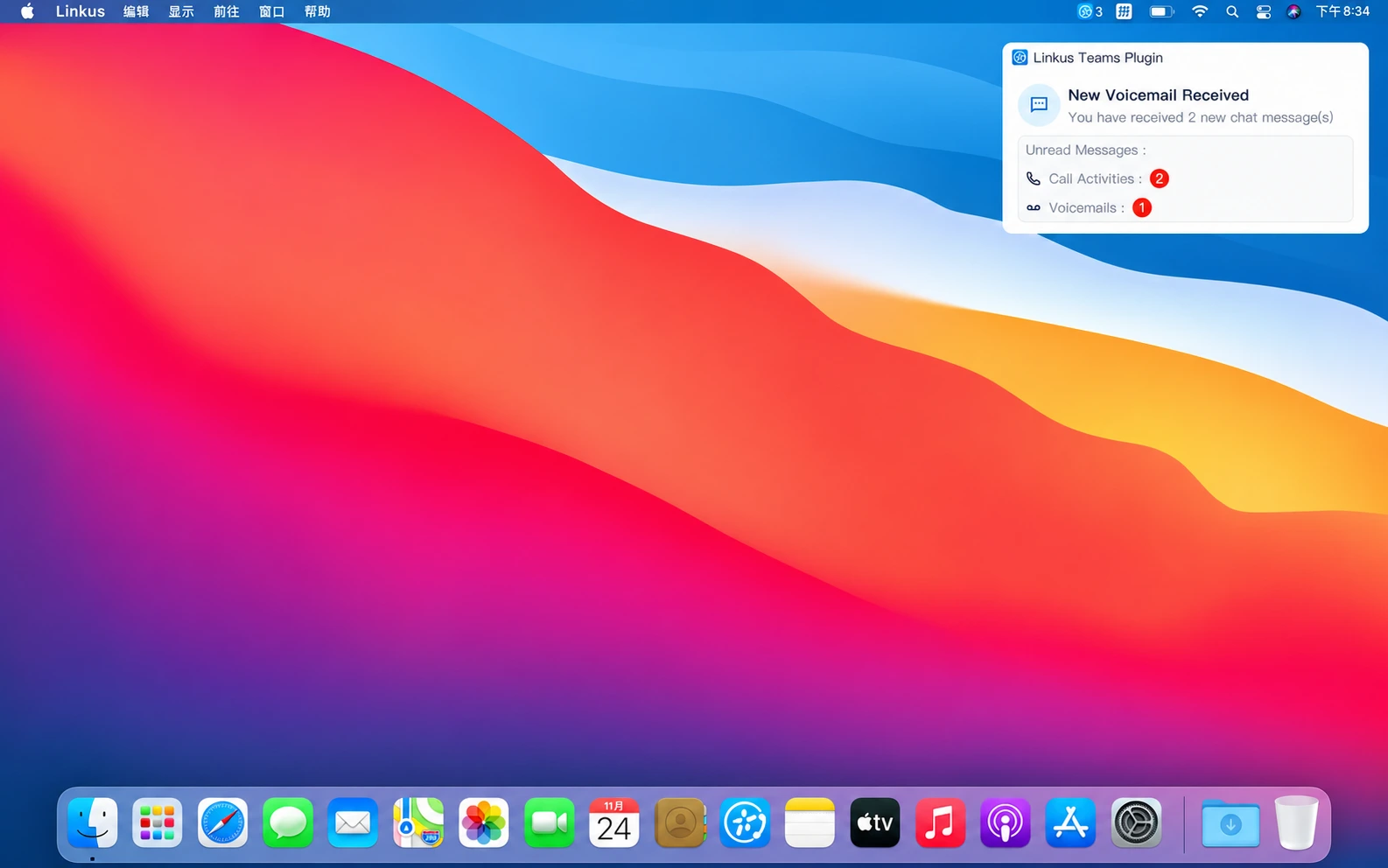
P-Series V25.3 introduces the Yeastar for Teams Desktop Plugin, designed to ensure page switching never disrupts your calls or messages. Running seamlessly in the background, the plugin syncs with your extension registered in Teams and triggers instant desktop pop-up alerts for incoming calls and messages, keeping you fully connected wherever you are on your desktop.
The plugin supports the following features:
- Automatic Call Pop-ups: Receive instant desktop notifications for incoming calls and answer with a single click.
- Direct Outbound Dialing: Initiate external or internal extension calls directly from the plugin.
- Comprehensive Call Controls: Place and answer calls with a click while accessing voicemails and custom feature keys easily.
- Automated Contact Lookup: Instantly view matched caller and callee information as calls come in.
- Unified Message & Voicemail Alerts: Get immediate pop-up updates for unread chat messages, call history, and voicemails.
Download the Plugin:
You can download the plugin directly within Teams.
- When the extension signed in to Teams has no active call endpoint, a banner appears at the top of the app guiding you to the download page.
- If other call endpoints are already connected, a mode-switch dialog lets you download and enable the plugin with one click.
Once installed, the plugin runs in the background automatically.
Configuration Guide: Linkus for Teams Desktop Plugin
Simplified Voice Prompt Management
P-Series V25.3 introduces significant enhancements to Voice Prompt management, streamlining configuration workflows and simplifying ongoing system administration.
Key Enhancements Conclusion:
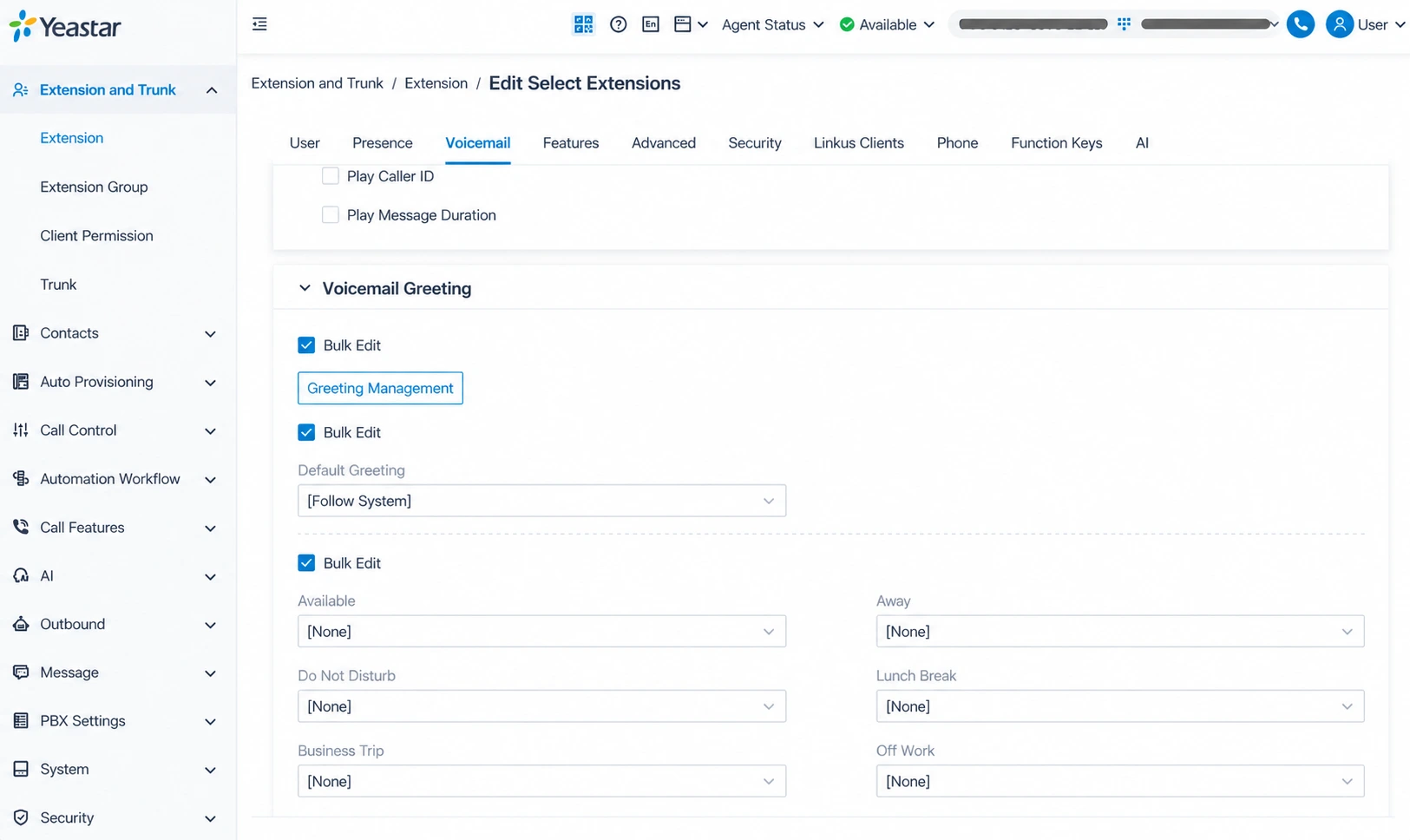
- Contextual Prompt Operations: Supports prompt management (create, delete, play, download) directly within relevant feature configuration modules.
- Bulk Voicemail Greeting Updates: Modify voicemail greetings across multiple target extensions simultaneously in a single batch operation.
- In-Place Audio Replacement: Update existing prompt audio simply by uploading a new file. All linked features, such as voicemails and ring groups, automatically play the updated audio with zero re-uploading or reconfiguration required.
- Prompt File Renaming: Lets you rename an existing prompt without changing its recorded audio.
Configuration Guide:Voice Prompt Management
Other Optimizations
AI Receptionist Summaries Match the Primary Language: AI Insights and Summaries now automatically adapt to the primary language configured for your AI Receptionist. This ensures local teams can immediately review and action summaries in their native working language, streamlining post-call collaboration.
Yeastar Central Management Platform Updates
Plan-bound RMP Service
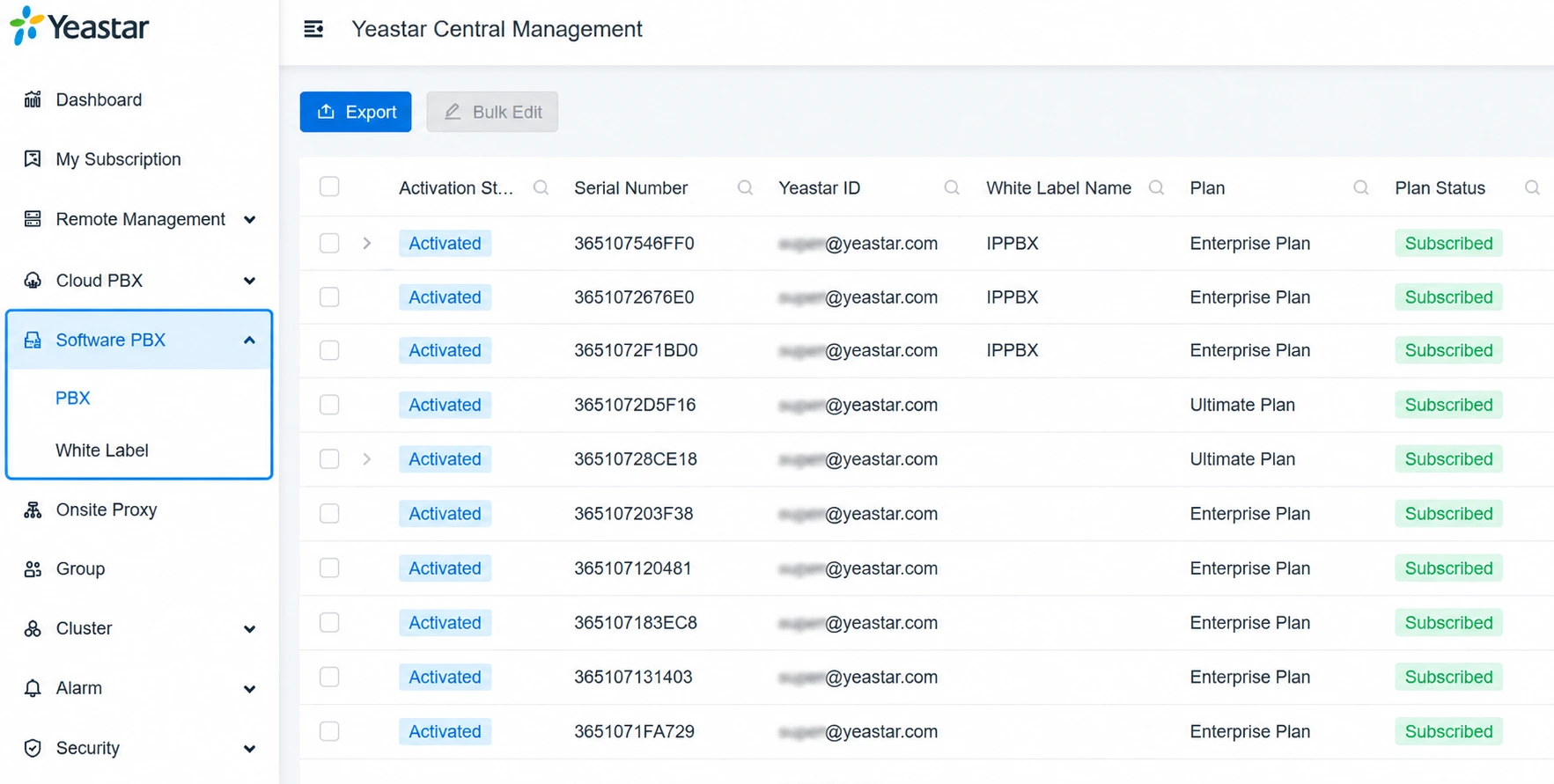
Yeastar Central Management (YCM) introduces Plan-bound Remote Management Premium (RMP) service, a new remote management option bundled directly with the P-Series Appliance Edition (PAE) or Software Edition (PSE) subscription plans. When subscribing to PAE or PSE plans, you can add RMP service directly to your devices. This way, the service validity of your remote management connection will align with your PBX’s subscription plan, eliminating the need to track separate renewal schedules.
Key Benefits:
- Easier procurement: Purchase RMP alongside PAE or PSE plans under a single line item, eliminating standalone subscription tracking.
- Easier management: Service validity automatically matches your device plan, keeping renewals perfectly in sync to maintain uninterrupted remote access.
- Faster remote management connection Setup: Authenticate your remote management account name and password during PSE activation to auto-enable remote management connectivity with fewer configuration steps ( only supported on the Yeastar hosted YCM platform). You can also configure a dedicated management email address for seamless administration.
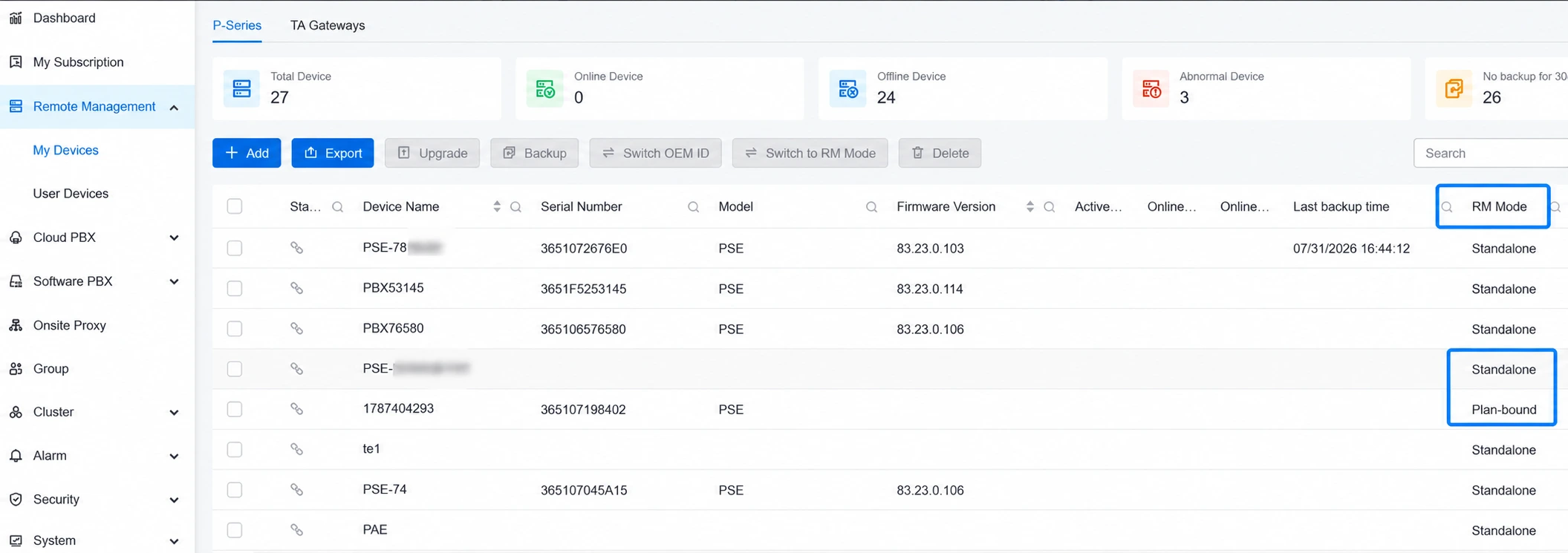
RMP Mode & Portal Visibility
Each Plan-bound RMP connection is dedicated to the device covered under the plan. To provide administrators with full operational visibility, the My Devices portal introduces an ‘RM Mode’ field to easily distinguish connection types and support seamless, one-click switching from Standalone to Plan-bound mode.
PCE Change Call Restriction
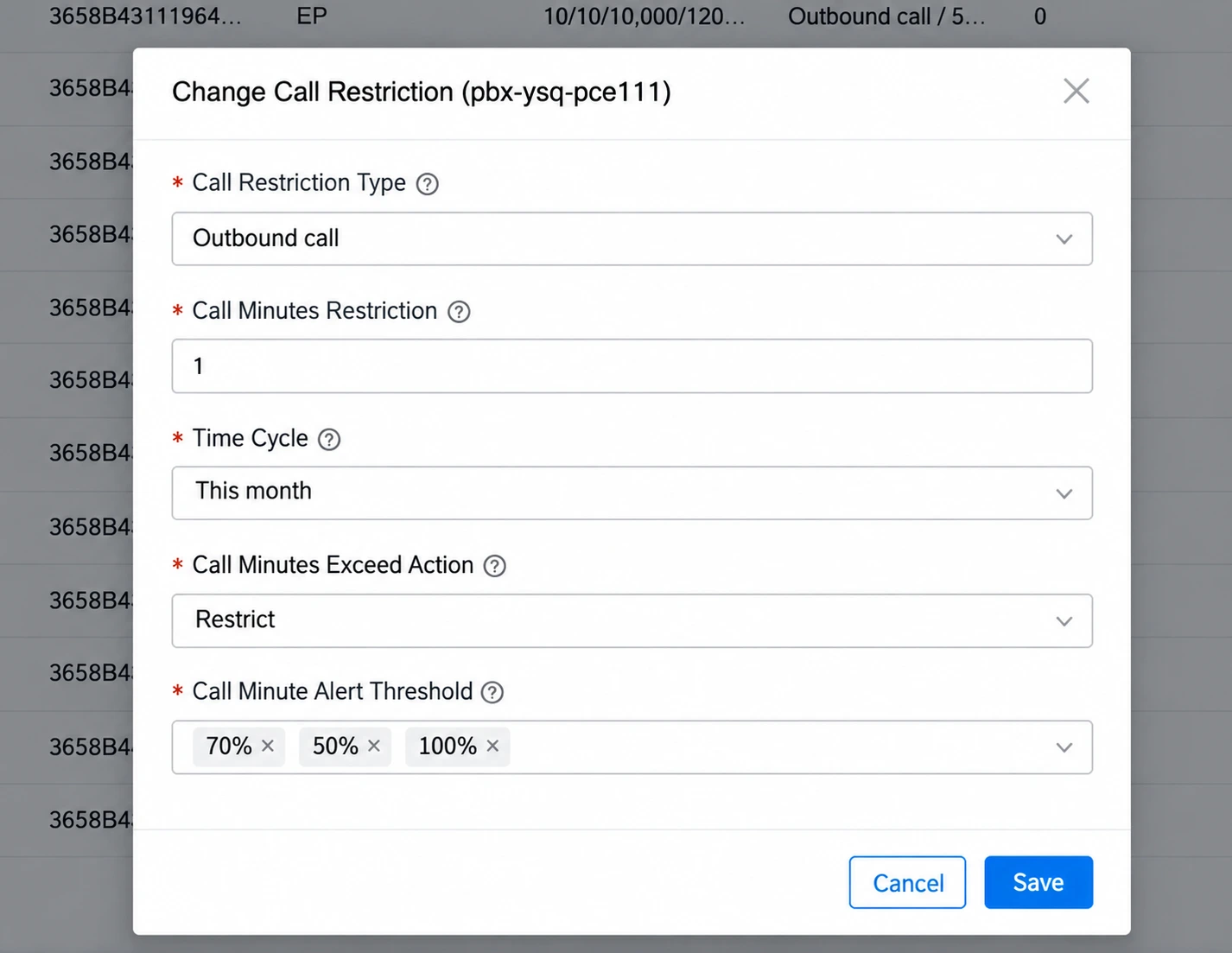
Yeastar Central Management strengthens its outbound call management capabilities across P-Series Cloud Edition (PCE) instances. Administrators can now enforce granular outbound dialing limits and monitor usage via real-time warnings, empowering operators to control telecom costs effectively and guard against abnormal traffic or toll fraud risks.
Configurable Controls Include:
- Outbound Dialing Restrictions: Restrict outbound calling capabilities per PCE instance when needed.
- Monthly Call Minute Caps: Define monthly outbound minute quotas per calendar month (unlimited by default).
- Over-Limit Enforcement: Automatically restrict outbound calls as soon as a PCE reaches its configured minute cap.
- Proactive Usage Thresholds: Trigger early notifications when call usage hits a set percentage threshold (e.g., 50% or 100%).
A new Call Minutes Warning event has been integrated into both PBX and Yeastar Central Management. The moment a PCE hits its threshold, immediate alerts are dispatched to authorized administrators, shifting risk management from passive, post-billing reconciliation to proactive, real-time protection.
PSE White-Label for BYOI YCM
P-Series Software Edition (PSE) has long supported white-labeling, which was previously managed via the Yeastar-hosted YCM platform. With this update, this capability now extends to the BYOI YCM platform as well. You can now seamlessly manage PSE white-label services directly on your own BYOI YCM platform.
Customizable Brand & White-Label Elements Include:
- Brand name, company details, and product naming
- Custom Privacy Policy and Data Processing Agreement (DPA)
- Login page logo
- Custom login page illustration
- Login page welcome message and copyright notice
- Fully customizable color theme (primary brand, status alerts, neutral text, primary/secondary backgrounds)
- Option to align email background with primary brand color
- Custom email signatures with HTML support
- Custom SMTP server setup for email delivery