


Yeastar for Teams Desktop Plugin
Use this plugin to keep your Teams calls and messages within easy reach for a smoother desktop experience.
Category:CollaborationWorks with:P-Series Phone System
Overview
Installation
Yeastar for Teams Desktop Plugin is a local plugin compatible with Microsoft Teams. Running seamlessly in the background, the plugin syncs with your extension registered in Teams and triggers instant desktop pop-up alerts for incoming calls and messages, keeping you fully connected wherever you are on your desktop.
Key Features
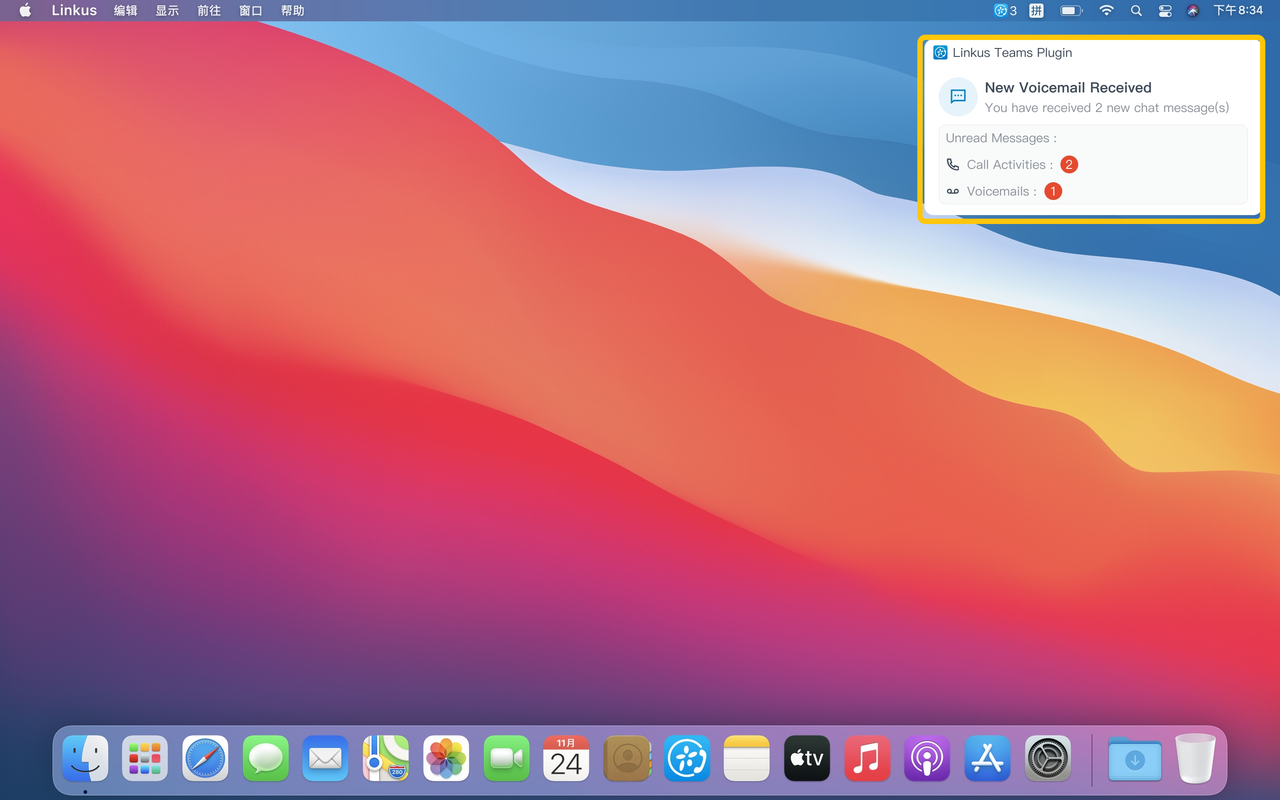
Automatic Call Pop-ups: Receive instant desktop notifications for incoming calls and answer with a single click.
Direct Outbound Dialing: Initiate external or internal extension calls directly from the plugin.
Comprehensive Call Controls: Place and answer calls with a click while accessing voicemails and custom feature keys easily.
Automated Contact Lookup: Instantly view matched caller and callee information as calls come in.
Unified Message & Voicemail Alerts: Get immediate pop-up updates for unread chat messages, call history, and voicemails.
Featured In
P-Series Phone System
Easy-first communications for businesses of all sizes.
Quick Start Reference
Before you start, you need to have a Yeastar P-Series PBX (Enterprise Plan or higher) and have integrated Yeastar P-Series PBX with Microsoft Teams.
Not having a Yeastar P-Series PBX yet? Apply for a 30-day free trial here.
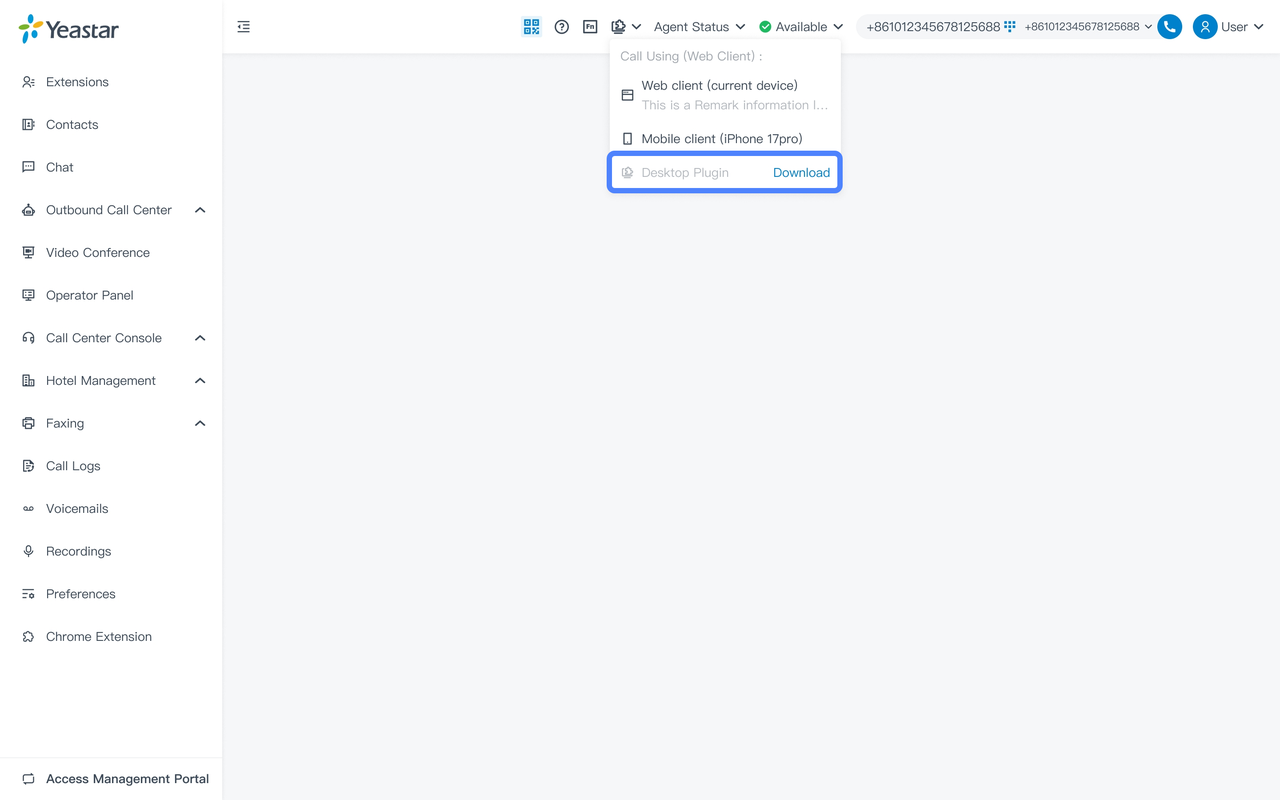
Download the Yeastar for Teams Desktop Plugin directly from Linkus App embedded in Teams.
When the extension signed in to Teams has no active call endpoint, a banner appears at the top of the app guiding you to the download page.
If other call endpoints are already connected, a mode-switch dialog lets you download and enable the plugin with one click.
Once installed, the plugin runs automatically in the background.
Developed by:Yeastar
Requirements
Yeastar P-Series Phone System: Enterprise Plan or Higher
Firmware version of PBX server: 83.24.0.122 or later
Operating system version:
- Windows: Windows 10 or later
- macOS: macOS 12 or later
Contact the Developer
Please contact the developer to get the app or for tech support
 Developer Websitewww.yeastar.com
 Phone Number15362541254
 Support Emailtest@yeastar.com
 Support Websitewww.yeastar.com