




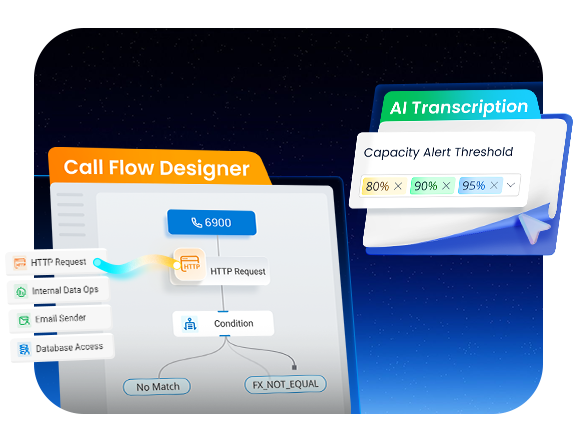
V23.1 BETA introduces a set of practical optimizations designed for admins’ daily operations. This release brings 10+ improvements to Call Flow Designer for building more complete call flows, more flexible threshold settings for AI Transcription usage alerts, and enhanced remote archive storage options to simplify workflow management. You can quickly test these key enhancements in V23.1 BETA below, or continue reading to explore the feature details.
Start Beta Testing
- Already using P-Series PBX? Simply go to your PBX admin portal and check for firmware updates. You can also download the Beta firmware here for offline installation.
⚠️ If the PBX is running a version released before November 2025, the latest beta firmware may not be visible on your PBX. Please upgrade your PBX sequentially to the latest version to access new firmware and features. - New to P-Series PBX? Apply for a free trial license here and upgrade to the latest beta firmware to start testing.
Found something that doesn’t work as expected or works better than expected? Share your feedback to help shape the final V23.1 release.

V23.1 BETA Updates Quick Navigation
Explore the latest enhancements and jump straight to the sections that matter most to you.
- P-Series PBX V23.1 BETA Enhancements
- Resources →
- Configuration Guides
- Final Releases Over the Past Six Months
P-Series PBX V23.1 BETA Enhancements
Call Flow Designer Enhancements
Call Flow Designer is a visual call automation tool that leverages native PBX components, such as Business Hours, IVR, Menu, Prompts, and Developer components to help you easily build custom call workflows. In V23.1 BETA, core components have been refined with clearer routing behavior and expanded logic actions. The key enhancements are summarized in the table below.
| Component | Enhancements |
|---|---|
| Prompt | Adds a Text-to-Speech (TTS) timeout destination. If TTS playback or transcription exceeds the configured timeout, the call is automatically routed to the defined timeout destination. |
| User Input | Adds a Text-to-Speech (TTS) timeout destination. If TTS playback or transcription exceeds the configured timeout, the call is automatically routed to the defined timeout destination. |
| Menu | Improves key input collection logic. When the entered digits has a unique match, the call is routed to the corresponding branch immediately without waiting for the key-press timeout. |
| Dial By Number |
|
| Transfer |
|
| Internal Data Ops |
|
| Email Sender |
|
| Database Access |
|
| HTTP |
|
| Others |
|
Refer to the configuration guide for detailed setup instructions, then upgrade your PBX to V23.1 BETA to test these enhancements and create customized call flows. If you encounter new workflow issues or have additional requirements, feel free to share your feedback with us.
Threshold-Based AI Transcription Alerts
AI Transcription capability alerts now support more flexible thresholds. In addition to the previous 90% and 95%, you can now set alerts at 70%, 75%, 80%, 85%, and 100%, sending email notifications before usage reaches its limit.
*AI Transcription includes both Call Transcription (supported on P-Series Cloud and Software Editions) and Voicemail Transcription (supported on P-Series Appliance, Cloud, and Software Editions).
Flexible Archive Storage Methods
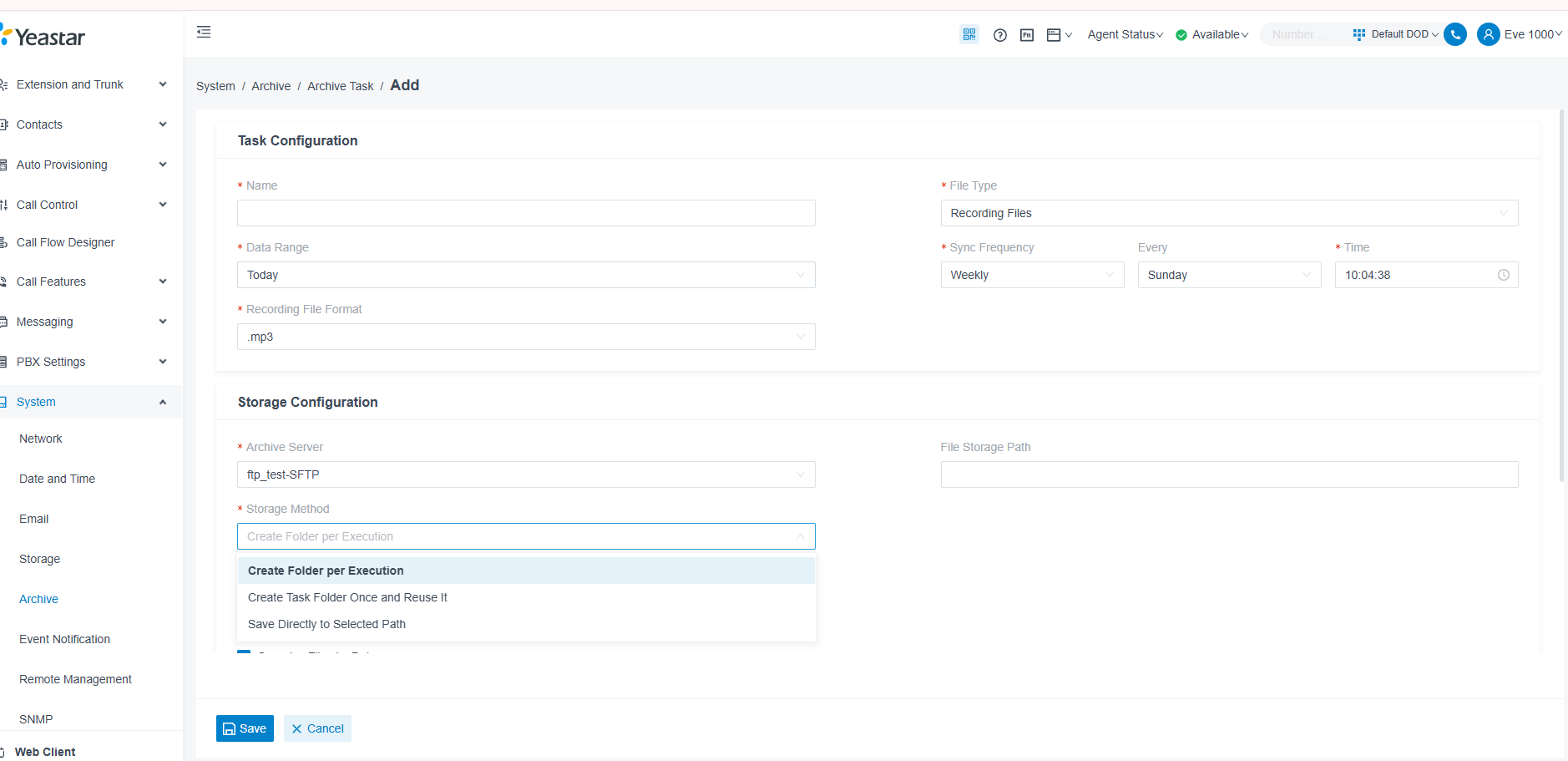
PBX now offers flexible remote archive storage options for easier and more organized file management.
- One-time storage tasks: choose to either create a task folder or save directly to a selected path.
- Recurring storage tasks: choose to create a folder for each archive execution, create and reuse a single task folder, or save directly to a selected path.
- Organize files by date: when enabled, files are automatically grouped into subfolders by date within the selected path.
These enhancements give admins greater control over where and how files are stored to the archieve servers, simplifying file organization and improving workflow efficiency.
Additional Optimizations
- SMS Carrier Expansion: SMS integration carrier now supports VoIP.ms and NETPLANET, alongside existing ITSPs such as General, Flowroute, Twilio, Telnyx, Bandwidth, Alhambra IT, Aspsms and more.
*For full details on the P-Series V23.1 BETA updates, refer to the beta firmware release notes: Cloud Edition | Appliance Edition | Software Edition
*All the PBX improvements above are available for testing in the V23.1 BETA. Upgrade your PBX to the beta firmware or apply for a free trial and then upgrade to the beta firmware to explore them. We look forward to your feedback, please submit it via this form.
Related Resources
PBX V23.1 BETA Enhancements Configuration Guides
Step-by-step instructions for:
- Call Flow Designer Enhancements
- Threshold-Based AI Transcription Alerts
- Flexible Archive Storage Methods
Keep Up with the Latest Final Releases
- Advanced CDR, Dark Mode & More(Jan 2026)
- One-Touch Call Park, Call Follow-Up via Email & More (Dec 2025)
- Built-in STIR/SHAKEN Solution, Red Hat SSO Integration & More (Nov 2025)
- Omnichannel Message API, PBX API Bulk Access & More (Oct 2025)
- AI Call Transcription & Summary, Virtual Fax & More (Sep 2025)
- Outbound Bulk Messaging, Group Reply for Queues, Call Compliance & More(Aug 2025)


Can you add Always on music
Ability to choose a stream and let it play continually on a phone speaker when the phone ring the stream stop and resume after the call is done
Its a feature on the hold tel system.
Hi, Dave
Music on hold Steam is now supported. We hope this documentation proves helpful. https://help.yeastar.com/en/p-series-software-edition/administrator-guide/set-up-a-custom-moh-playlist.html#add-a-custom-music-on-hold-playlist__streaming
Please assist with the function to delete the AI transcription or data, as this function of the system is useless if one can’t use it without purchasing new storage>>
Hi, Devos
I think there may be some misunderstanding here. Don’t worry—I’ve already had the relevant personnel contact you.
Can someone tell me what happened to the SMS integration with TG gateway?