

A VoIP (Voice over Internet Protocol) phone system is a solution that allows you to make and receive phone calls over the internet instead of traditional analog copper wires.
For small businesses seeking an enterprise edge, VoIP serves as a highly practical upgrade over legacy landlines. Beyond significant cost savings, VoIP systems offer extensive advanced features, effortless cloud management, seamless support for remote or hybrid teams, and unparalleled scalability to grow alongside your business.
This guide is to help businesses rapidly understand VoIP phone servi
ces, compare deployment options, and make the best provider selection in 2026.
Table of Content
- VoIP Phone System & How it Works
- Key Components of a VoIP Phone System
- Types of VoIP Phones
- VoIP vs. Landline System
- VoIP Phone System Benefits
- Essential Features of a VoIP Solution
- Cloud vs. On-Premise VoIP
- Top 5 VoIP Phone Systems
The best value for a business VoIP phone system
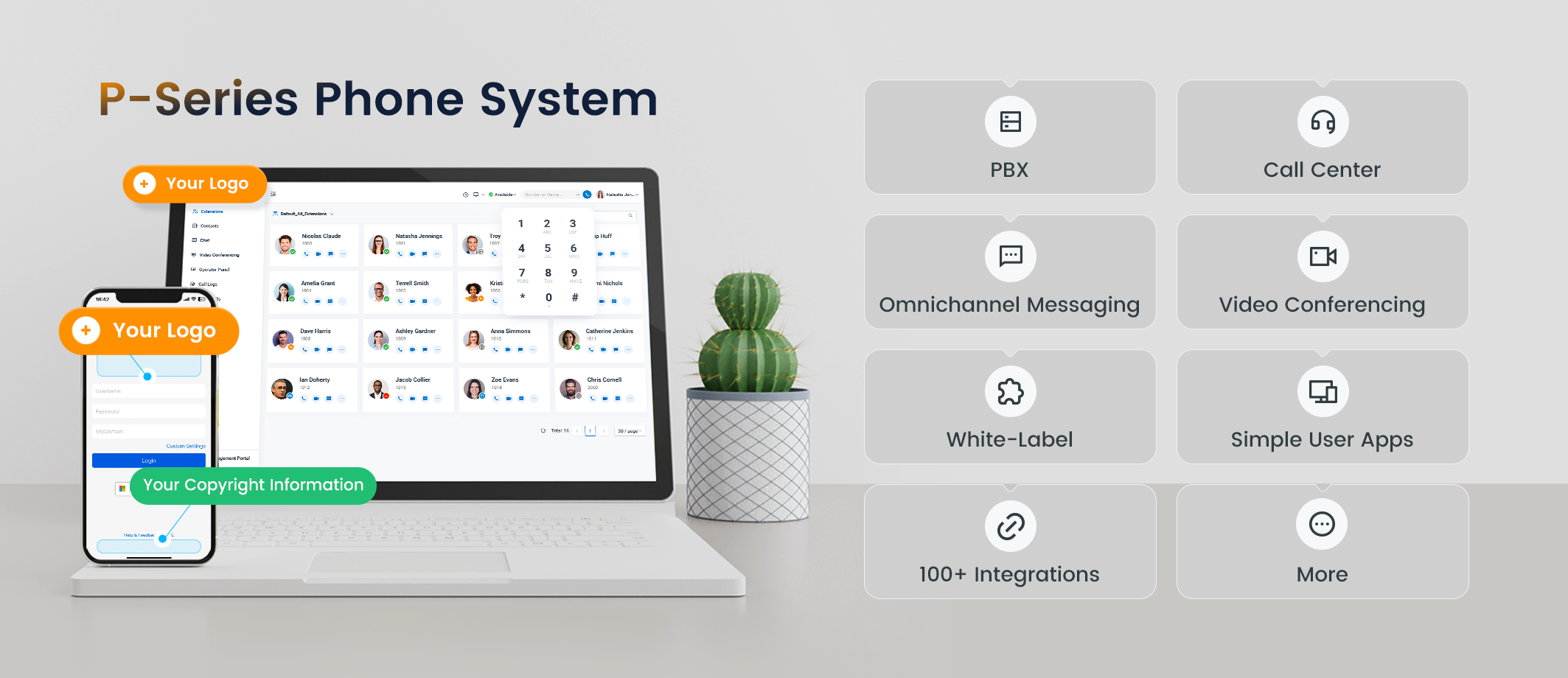
Get a complete business phone system with advanced features and the best value price.
With Yeastar P-Series Phone System, you can reliably run your business and communicate with your team and customers through unified voice, video, SMS, and digital channels with instant setup, no hardware, centralized conversations, and built-in tools for productivity and collaboration.

| Core Features | More Reasons Why Yeastar |
|---|---|
|
|

What is a VoIP Phone System and How Does it Work?
VoIP (Voice over Internet Protocol) is a technology that enables phone calls over the internet instead of analog phone lines. It converts your voice into digital data packets that travel through IP networks for real-time communication. This digital process makes VoIP calling incredibly fast and cheaper, bypassing the limitations of legacy telecom infrastructure.
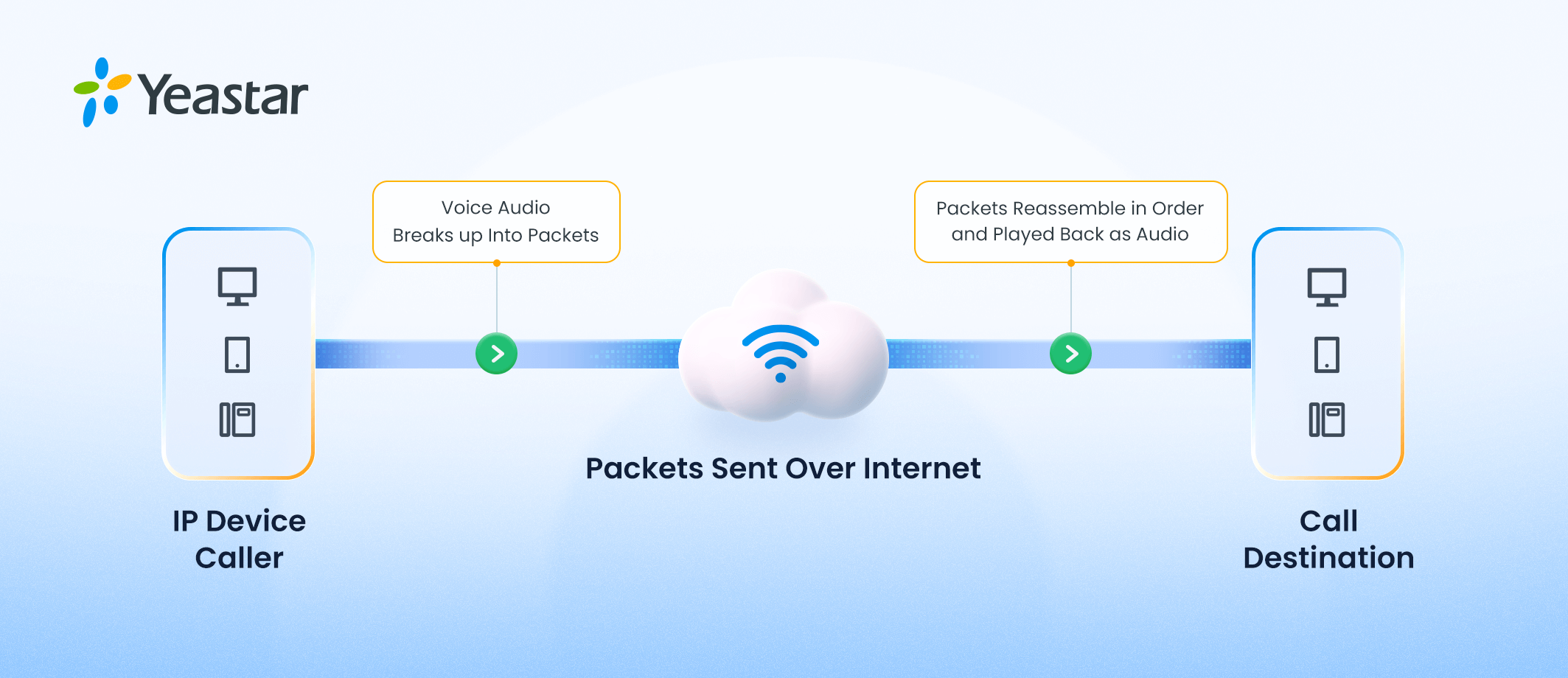
While the user experience is seamless, several steps happen behind the scenes every time you make a VoIP call:
| Step | What Happens |
|---|---|
| 1. Analog-to-Digital Conversion | When you speak into a microphone (on a desk phone, smartphone, or computer), your voice—which is an analog sound wave—is converted into digital data packets. |
| 2. Packet Transmission | These data packets are labeled with the destination address and sent over your local network and then the internet. They travel through routers and switches, often taking different paths to reach the same destination. |
| 3. Reassembly & Decoding | The receiving device collects the packets, reassembles them in the correct order, and converts them back into an audio signal that the recipient can hear. |
| 4. Signaling & Call Management | Protocols like SIP (Session Initiation Protocol) handle the “signaling” part of the call—starting the call, ringing the recipient, and ending the call. This is managed by an IP PBX (cloud-based or on-premise). |
Key Components of a VoIP Phone System
To build robust business communications, modern phone systems rely on a few crucial software and hardware components:
| Category | Components |
|---|---|
| Connectivity | SIP Trunking; Gateways; ATA Adapters |
| Media Handling | Codecs (G.711, G.729, Opus); Protocols (SIP for signaling; RTP for transport) |
| Core Systems | IP PBX |
| Endpoints | Softphones; IP Phones |
- SIP Trunking: The digital link connecting your business to the traditional phone network.
- IP PBX: The central server that routes calls within your organization.
- Softphones: Applications that let you make calls from a computer or mobile.
- IP Phone: The physical desktop phone designed specifically to connect to an IP network.
- ATA Adapters: Devices used to connect older analog hardware to a VoIP network.
- Gateway:
- VoIP Gateways: Devices that converts VoIP packets to traditional analog/digital phone signals (and vice versa), enabling calls between IP networks and legacy PSTN systems.
- Codecs: Software algorithms that compress and decompress voice data to ensure high audio quality without eating up bandwidth. Common codecs include G.711, G. 729, Opus, etc.
- Protocols: Core enablers for voice data signaling (SIP), media transport (RTP), and session management.
Key Types of VoIP Phones Compared
Any devices that use internet connections to provide features like high-definition audio, video calling, and mobile app integration can be VoIP phones. Here is a simple chart showing the major types of VoIP phones and how they differ.
| Aspect | Desk Phones (IP Phones) | Softphones | Cordless DECT Phones | Conference Phones |
|---|---|---|---|---|
| Form Factor | Physical desk hardware | Mobile/PC app | Wireless handset + base | Group speakerphone |
| Cost | $100-500/unit | Free/low-cost | $150-400/system | $300-1000+ |
| Power | PoE/adapter | Device-powered | Base powered | PoE/outlet |
| Mobility | Desk-bound | Highly mobile | Room range | Fixed rooms |
| Audio | HD + noise cancel | Headset dependent | HD audio | Omni mics |
| Setup | Plug-and-play | App install | Base sync | Network config |
| Best For | Office desks | Remote work | Warehouses | Meetings |
| Examples | Yealink T46U, Cisco 8841 | Yeastar Linkus, Zoiper | Yealink W56P | Poly Trio |
Can a regular phone be used as a VoIP phone?
A regular analog phone can be used as a VoIP phone with the help of a small device called an ATA (Analog Telephone Adapter) . This device connects your traditional phone to your internet router, converting analog signals into digital data packets that can be transmitted over the internet.
While this is a cost-effective way to transition to VoIP without replacing existing hardware, using a dedicated IP phone or softphone typically provides better call quality and access to advanced VoIP features.
VoIP vs. Landline: What are the Differences?
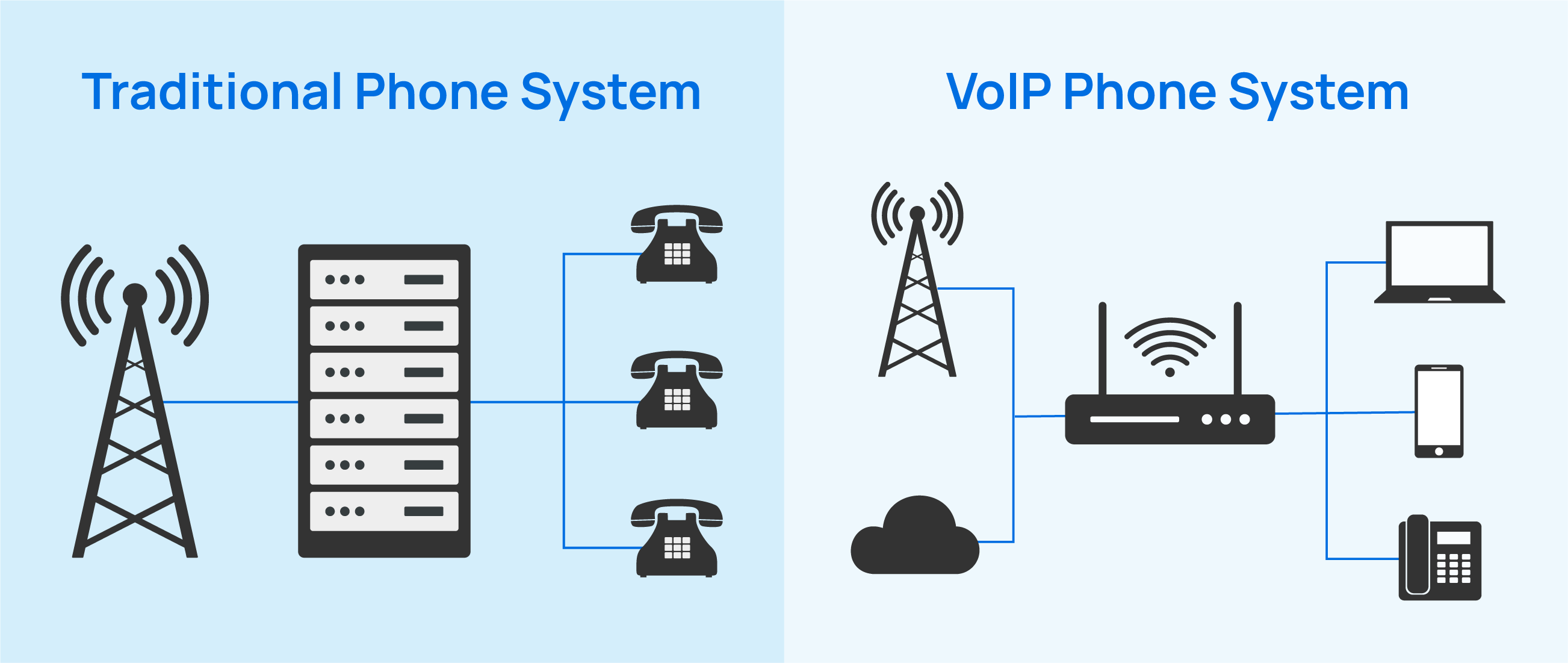
Businesses are rapidly abandoning the Public Switched Telephone Network (PSTN) and old copper wires because the analog vs digital battle has a clear winner. Here is a breakdown of why modern companies are making the switch from traditional phone systems:
| Comparison Dimension | Traditional Landline (PSTN) | VoIP Phone System |
|---|---|---|
| Cost | High. Requires expensive wiring, hardware, and long-distance fees. | Low. Uses existing internet; significantly cheaper long-distance and international calls. |
| Features | Basic (caller ID, voicemail, call waiting). | Advanced (IVR, video conferencing, AI routing, CRM integration). |
| Scalability | Difficult. Requires a technician to install physical lines. | Seamless. Add users or numbers instantly via a web dashboard. |
| Maintenance | Complex. Requires specialized IT staff and on-site hardware repairs. | Easy. Providers handle backend maintenance; minimal on-site effort. |
Top Benefits of Upgrading to a Business VoIP System
Why should a small business owner or IT manager invest in business VoIP? Here are the most compelling reasons.
Cost Savings and High ROI
By eliminating the need for physical phone lines and avoiding expensive legacy hardware maintenance, voip phone services drastically slash your monthly telecom bills. According to recent 2026 industry statistics, companies can reduce their monthly telecom costs by up to 50% after switching to VoIP. You avoid hefty setup fees, enjoy cheaper international rates, and transition to a predictable, cost-effective model.
Scalability for Growing Teams
When your business expands, adding a new desk phone or setting up phone services for an entirely new branch takes only a few clicks via a centralized web interface.
Enable Remote Work & Mobility
With VoIP, as long as employees have internet access, they can work from anywhere. By utilizing a mobile app or desktop softphone, staff can make and receive calls while maintaining the same professional phone number. For example, the Yeastar Linkus UC Clients provide a seamless, boundary-free working experience, ensuring your team is always connected.
Enable Unified Communications
Upgrading from analog to VoIP means are no longer limited to just voice. It allow your team to enjoy voice, video, chat, messaging, and more within a single application. Instead of paying for and juggling multiple disjointed apps, you get a centralized platform that significantly boosts internal collaboration and productivity.

Essential Features of a VoIP Solution
Today’s VoIP is much more than voice. It consolidates voice, video, and messaging. Top-tier platforms, like the Yeastar P-Series Phone System, excel by offering innovative Voice AI capabilities, deep CRM integrations, Microsoft Teams integration, and WhatsApp/SMS omnichannel access, ensuring your team collaborates effortlessly.
When evaluating a business VoIP service, look for these modern enterprise-grade features:
| Business Telephony | Employee Productivity | Customer Engagement | Admin Experience |
|---|---|---|---|
| Auto Attendant (IVR) | UC Clients | Queue Callback | Management Portal |
| Call Routing | Call Note | Queue Panel | Call Flow Designer |
| Call Queue | Call Transcription | AI Receptionist | IP Phone Auto Provisioning |
| Emergency Calling | Call Summary | Call Center Wallboard | Database Contact Sync |
| Hold Music | Voicemail Transcription | Omnichannel Messaging | Roles and Permission |
| Voicemail | VoIP Faxing | SLA Monitoring | File Remote Archiving |
| CDR | Conference Calling | Custom Call Report | Call Accounting |
| Toll-free Numbers | Video Meeting | High Availability | |
| Call Forwarding | Teams Integration | ||
| Call Recording | CRM Integration |
Cloud vs. On-Premise VoIP: Which Deployment is Right for You?
Unlike many providers that force you into one model, understanding deployment differences is crucial:
- Cloud Hosted VoIP: Ideal for businesses that want a fully cloud-based solution. It requires zero hardware maintenance, offers rapid deployment, and provides ultimate flexibility for remote teams.
- On-Premise IP PBX: The best choice for heavy industries, hotels, or enterprises that demand maximum data privacy and control, have frequent local area network (LAN) communications, or want to repurpose existing infrastructure.
| Aspect | Cloud VoIP | On-Premise VoIP |
|---|---|---|
| Deployment | Provider-hosted, no servers needed | Self-hosted on company servers |
| Cost Model | Monthly subscription per user | High upfront hardware + maintenance |
| Scalability | Instant scaling, add users anytime | Requires hardware upgrades |
| Maintenance | Fully managed by provider | In-house IT team required |
| Updates | Automatic, always current | Manual upgrades needed |
| Data Control | Provider access to data | Full control on-premises |
| Setup Time | Days to weeks | Weeks to months |
| Flexibility | Remote work optimized | Office-centric deployment |
| Security | Provider-grade + compliance | Custom security responsibility |
| Customization | Limited to provider options | Unlimited customization |
How to Choose the Best VoIP Provider in 2026 (Expert Tips)
With so many options available, selecting the right VoIP provider can feel overwhelming. Use this step-by-step framework to cut through the noise and make a decision based on your specific needs.
- Assess Your Network and Bandwidth: Before migrating, it’s recommended to allocate at least 100 kbps of dedicated upload and download bandwidth for every concurrent VoIP call to ensure crystal-clear HD audio. If you have 10 people on calls at once, you need at least 1 Mbps of dedicated bandwidth.
- Identify Must-Have Features vs. Nice-to-Have: Don’t pay for a massive suite of features you’ll never use. Make a list based on your business’s core functions.
- Prioritize Security and Reliability: Enterprise communication must be secure. Ensure your provider offers features like SRTP encryption for calls, Toll Fraud Prevention, and a 99.99% Uptime SLA. Additionally, secure call recording capabilities are vital for compliance and quality assurance.
Top 5 VoIP Phone Systems for Small Businesses (2026 Review)
Choosing the right provider is critical. Here is a snapshot of the top players:
- Yeastar: Our top pick for the most flexible UCaaS platform. Yeastar covers the full matrix: Cloud, Software, and Hardware deployments, delivering exceptional ROI and omnichannel capabilities.
- Nextiva: A strong pure-cloud solution known for reliable service, though it can be costly for smaller teams due to add-on features.
- RingCentral: A feature-heavy enterprise giant with excellent AI tools, but pricing is typically higher than the market average.
- 3CX: Offers a self-hosted or cloud PBX model with simultaneous call (SC) pricing, which can be economical but requires technical know-how.
- 8×8: A great option for global companies needing international reach, though the interface can feel overwhelming for basic users.
Frequently Asked Questions (FAQs)
How AI is redefining VoIP?
For decades, the telecom industry was built around selling “seats” and “minutes.” Today, AI has fundamentally transformed VoIP from a simple data transmission protocol into a real-time, cognitive intelligence layer. It’s no longer just connecting calls; it’s engineering intelligent, contextual conversations
According to a February 2026 report by Gitnux, the global AI in VoIP market is projected to reach $12.8 billion by 2030. By the end of 2023, 67% of VoIP providers had already integrated AI features into their tech stacks. Furthermore, Market Growth Reports (March 2026) notes that nearly 90% of telecom companies have now adopted AI in some form, pushing the broader AI in the Telecommunications market toward a staggering $203 billion valuation by 2035.
AI-powered VoIP features such as AI Agents, Post-call Summary, Keyword Spotting, and Sentimental Analysis will become more prevalent in the following years to come.
How much does VoIP phone service cost?
VoIP phone service typically costs between about $10 and $50 per user per month, depending on the provider, features, and call volume.
A breakdown of a hosted VoIP phone system typically includes the following aspects: Monthly subscription fees (per user or per line), Hardware costs (such as IP desk phones, adapters, or headsets), International or long‑distance calling charges, Additional phone numbers (local, toll‑free, or vanity numbers), one‑time setup and installation fees, number porting or migration fees, and various incidental charges such as regulatory fees, and state or local taxes.


