

P-Series V25.2 BETA Updates: Improved Linkus Mobile UX, Enhanced Message Interaction, More
2.6 min readP-Series Phone System V25.2 focuses on improvements across mobile use experience, message interaction, call routing flexibility, and customer service continuity. Core updates include:
| Feature | Summary | Configuration Guide |
|---|---|---|
| Improved Linkus Mobile UX | A smoother Linkus mobile experience with customizable navigation menu, faster login, and quick-copy actions. | — |
| Enhanced Message Interaction | Quote replies, read receipts, and emoji reactions make external chat more responsive and contextual. | Setting Up Message Read Receipt |
| Flexible Ring Group & Queue Call Routing | 1. Apply extension call forwarding in ring groups/queues 2. Support adding external number to ring group. |
Call Forwarding in Ring Groups Call Forwarding in Queues Add External Number to Ring Group |
| Last Agent Routing | Returning callers can be routed back to the agent who served them previously. | Setting Up Last Agent Routing |
Release Note: Cloud Edition | Appliance Edition | Software Edition
Improved Linkus Mobile UX
We’ve improved Linkus Mobile Client to deliver a smoother and more efficient experience for PBX remote and mobile users. This update focuses on interface clarity and interaction convenience:
- The bottom navigation menu now supports customization, allowing users to choose and reorder functions.
- The login interface now saves the last 3 login SNs/domains for quick access and supports a show/hide toggle for passwords.
- Contact information in the Directory interface now supports long-press to copy, such as name, number, email, job title, department, and more.
- When creating a new SMS session, users can now directly select a number from Contacts (including personal and company contacts) as the recipient.
- Phone numbers in Call Log now supports long-press to copy.
Enhanced Message Interaction
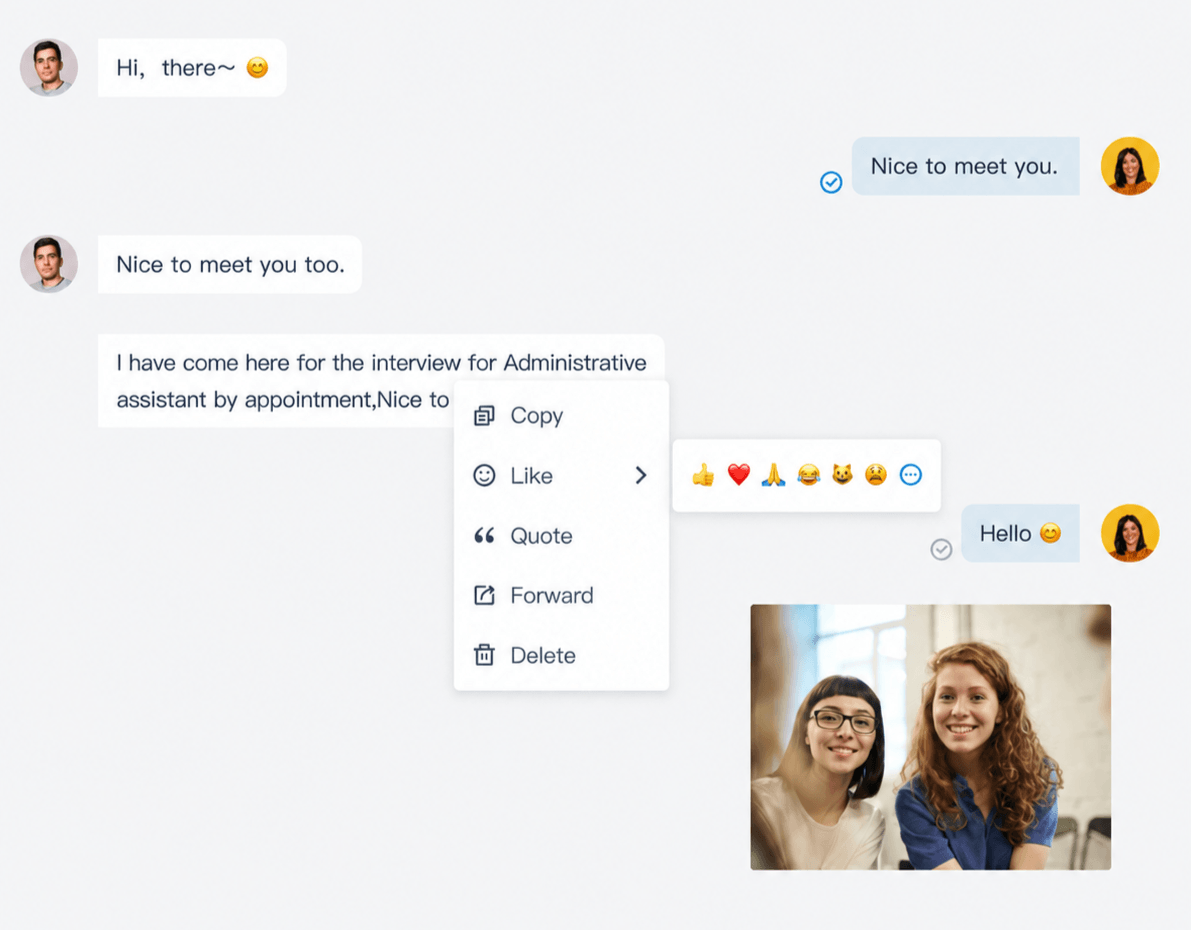
External Chat now introduces three new features for better message interaction.
Quote Reply
- Quote any successfully sent message in your reply, keeping conversation context clear and easy to follow.
- Available for text, files, images, emojis, and hyperlinks.
- Supported channels: Facebook, WhatsApp, Live Chat
Read Receipts
- Track message delivery and reading status through intuitive status icons.
- Disabled by default and must be enabled to use.
- Supported channels: Facebook, Whatsapp, Live Chat
Emoji Reactions
- React to messages simply with emoji tapbacks without sending an extra reply.
- Supported channels: WhatsApp, Live Chat
Configuration Guide: Setting Up Message Read Receipt
Flexible Ring Group & Queue Call Routing
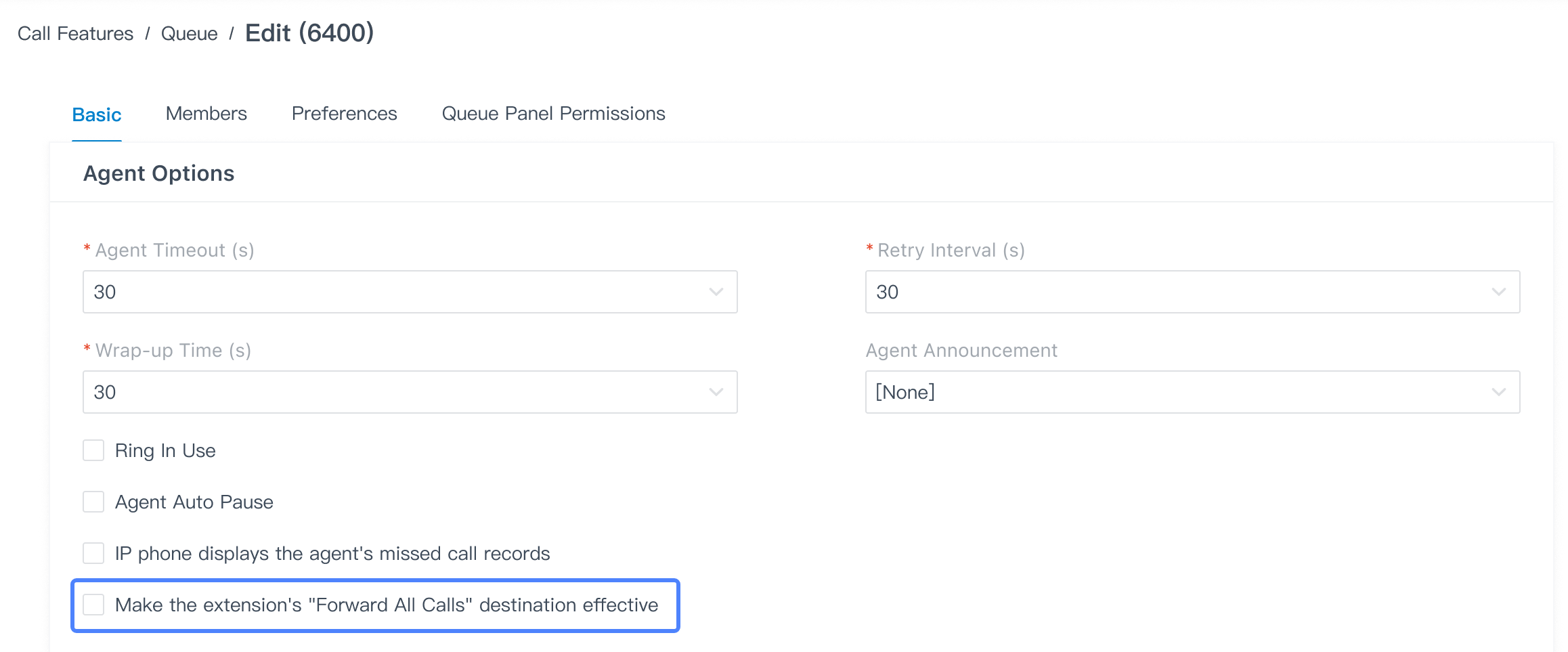
Apply Extension Call Forwarding in Ring Groups/Queues
“Forward All Calls” rules now apply to Ring Groups and Queues, allowing incoming calls to be forwarded to a specified destination, such as another extension, a mobile number, or an external number for more flexible call routing.
Configuration Guide:
Extension Call Forwarding in Ring Groups & Extension Call Forwarding in Queues
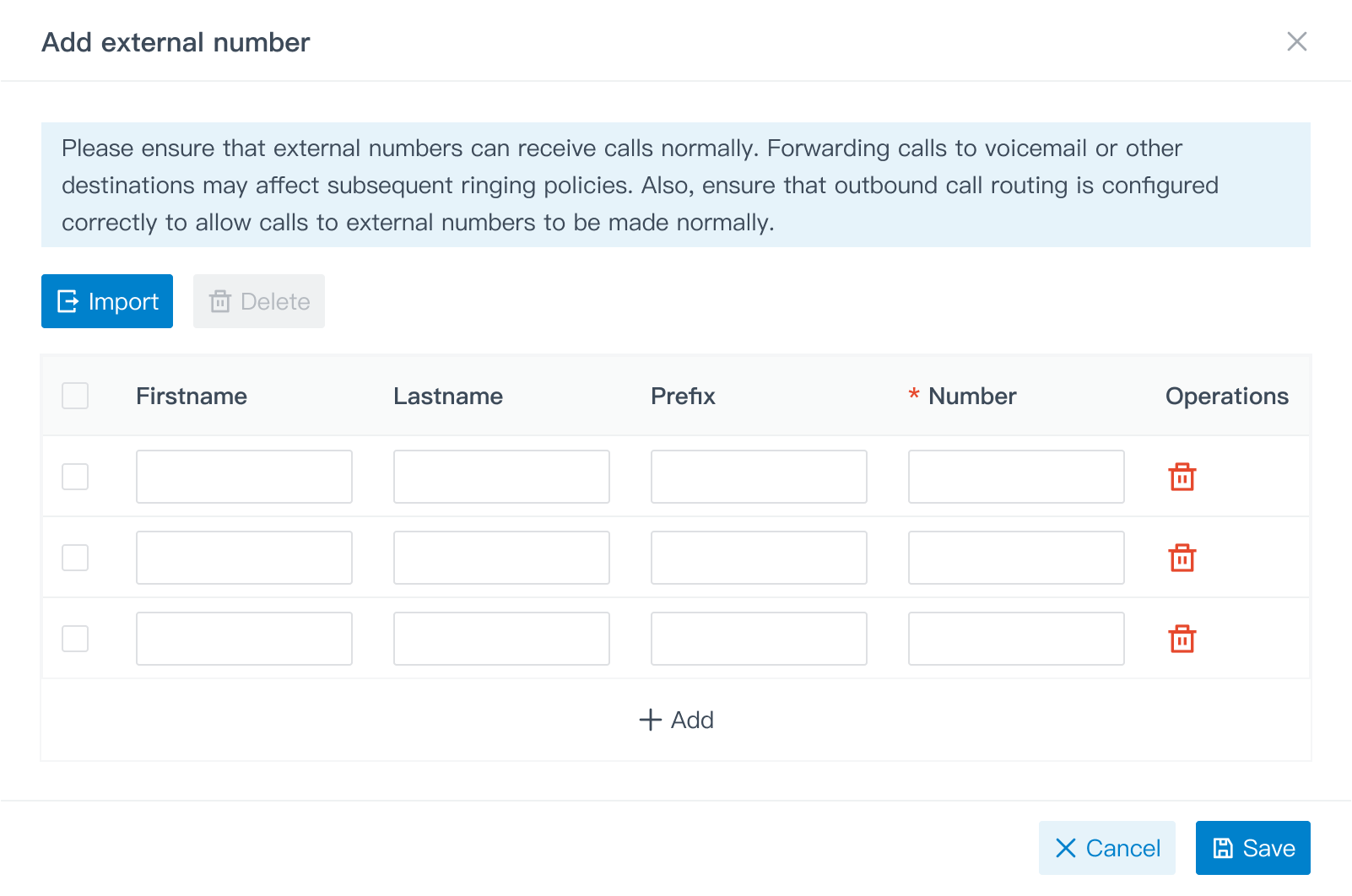
Add External Number to Ring Group
What’s more, Ring Group now supports external numbers as members for incoming calls routed directly to external destinations.
Configuration Guide: Add External Number to Ring Group
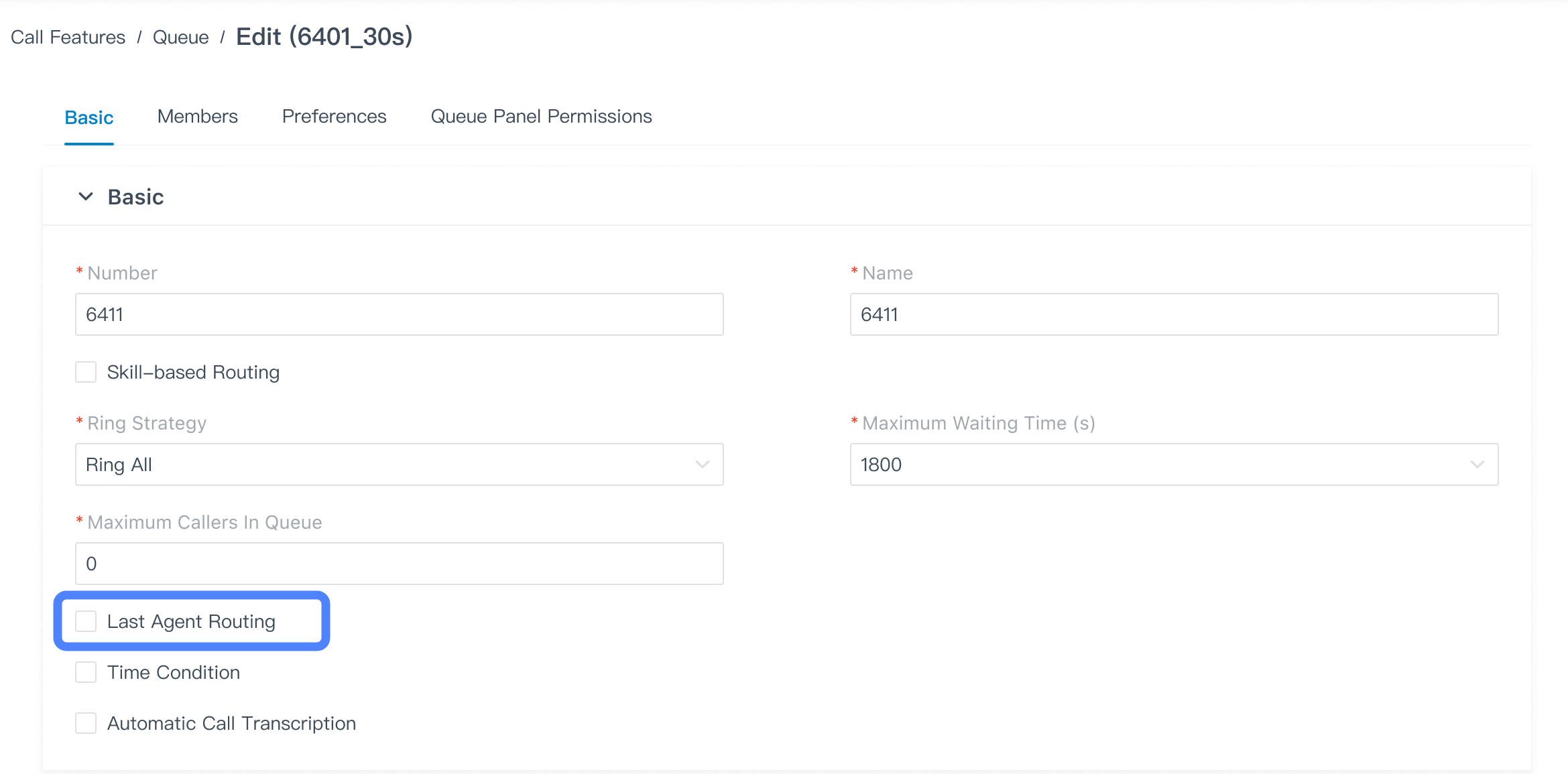
Last Agent Routing
When a customer calls back after a disconnected queue call or to follow up on a previous inquiry, Last Agent Routing prioritizes the agent who most recently assisted them. By reconnecting callers with a familiar agent, it minimizes repeated explanations, maintains service continuity, and creates a smoother customer experience.
Configuration Guide: Setting Up Last Agent Routing
Other Optimization
- Call Confirm for Calls Forwarded to External Numbers: Calls forwarded to external numbers can now configure answer confirmation. When enabled, the recipient must follow the voice prompt to press 1 to answer or # to reject, helping ensure the call is only treated as answered after explicit confirmation.
- Richer Contact Context Across Calls and Records: P-Series PBX now displays matched contact details on calling screens and shows company information in Call Log and CDR, helping users identify the right contact more quickly during calls and when reviewing call history.
- Multiple Extension Assignment in Auto Provisioning: Auto Provisioning now supports assigning multiple extensions to specific SIP lines, providing more precise line-to-extension mapping and reducing repetitive configuration work.
Leave a Reply



Multiple Extension Assignment in Auto Provisioning
nice option.
Hi, Khaled
Thank you for your positive feedback! We’re glad you like the Multiple Extension Assignment feature in Auto Provisioning. If you have any questions or feature suggestions, we’d love to hear them!
Interested in IP EPABX series Yeastar P series
Hi, PRASAD
Thanks for your interest in the Yeastar P-Series! I’ll have a colleague contact you soon to discuss further.