

P-Series PBX Updates(Dec 2025): One-Touch Call Park, Call Follow-Up via Email & More
3.0 min read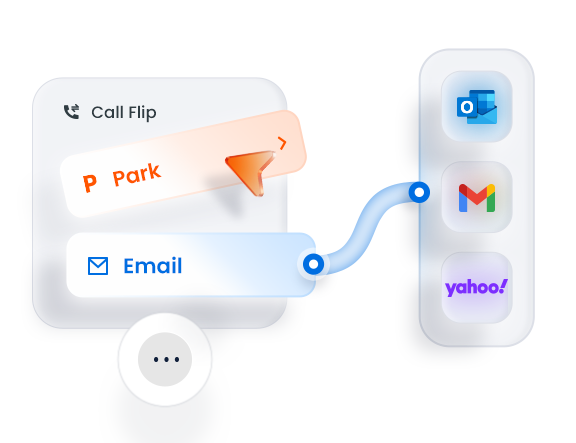
In the latest P-Series PBX release, we’ve introduced a set of thoughtful improvements designed to remove friction from daily call handling and strengthen post-call follow-up operation, reflecting our ongoing commitment to user experience.
👉 See what’s new in this release↓
- New Features
- Related Resources →
- New Features Configuration Guides
- P-Series PBX Updates from the Past Year
- PBX New Firmware Update and Free Trial
New Features
One-Touch Call Park
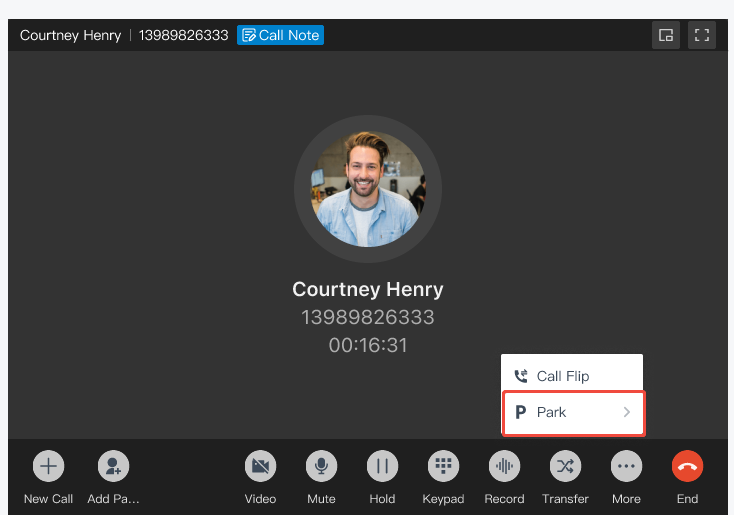
Call parking is now faster and easier. Instead of dialing feature codes, users can park calls with a single click directly from the calling screen, whether they choose a system-assigned slot or a specific extension.
This streamlined experience is available across all Linkus UC Clients, including Linkus Desktop, Web, and Mobile Clients; the Linkus for Chrome Extension; and embedded integration apps for Microsoft Teams and Dynamics 365.
Call Follow-Up via Email
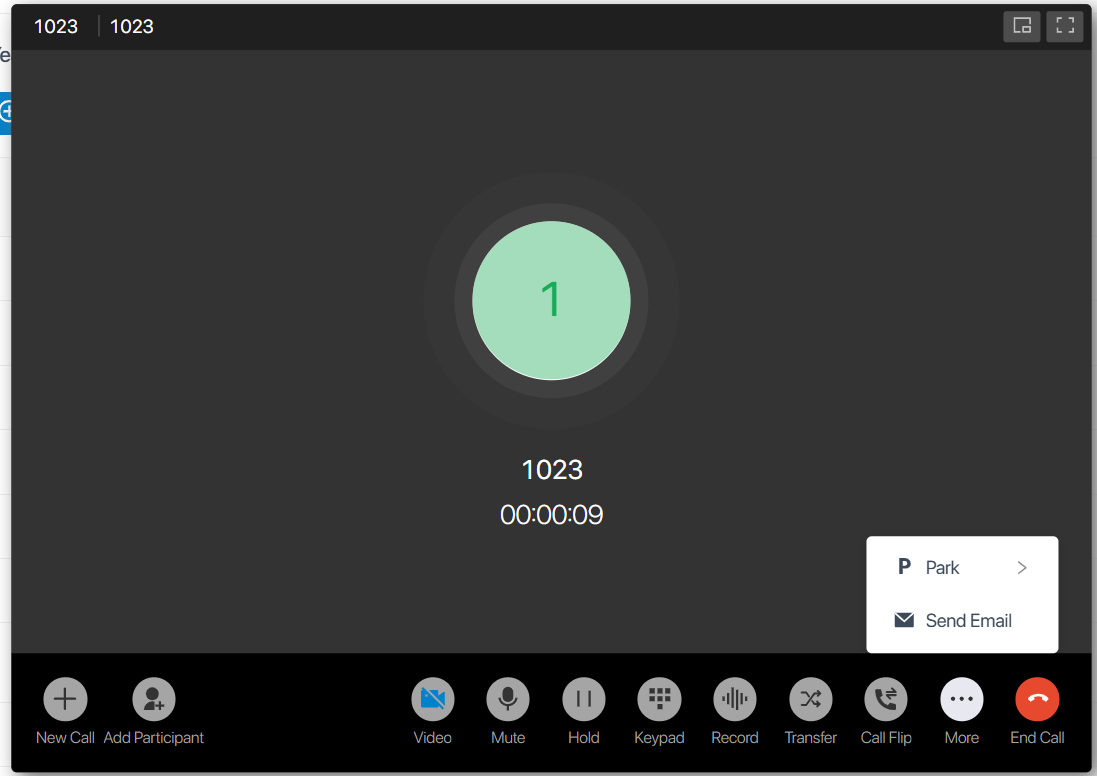
The P-Series PBX supports initiating emails directly from the system using the standard Mailto protocol. This instantly opens the user’s default email client, including Outlook Web, Gmail Web and Yahoo Mail with a pre-filled email template.
With a single click, users can send call details directly to teammates or customers including contact information, call summary, notes, and other custom variables, streamlining post-call follow-up and ensuring all key information is captured accurately.
*Supported clients: Linkus Desktop and Web Clients; Linkus for Chrome Extension; and embedded integration app for Microsoft Teams.
Benefits for Users:

Benefits for Admins
Adaptable Follow-Up Email Templates
- Call Action Reports
- VIP Customer Follow-Up
- SLA Alarm Threshold Notification
*To explore more email templates or create your own, follow the configuration guide.
Active Call Panel for Admins
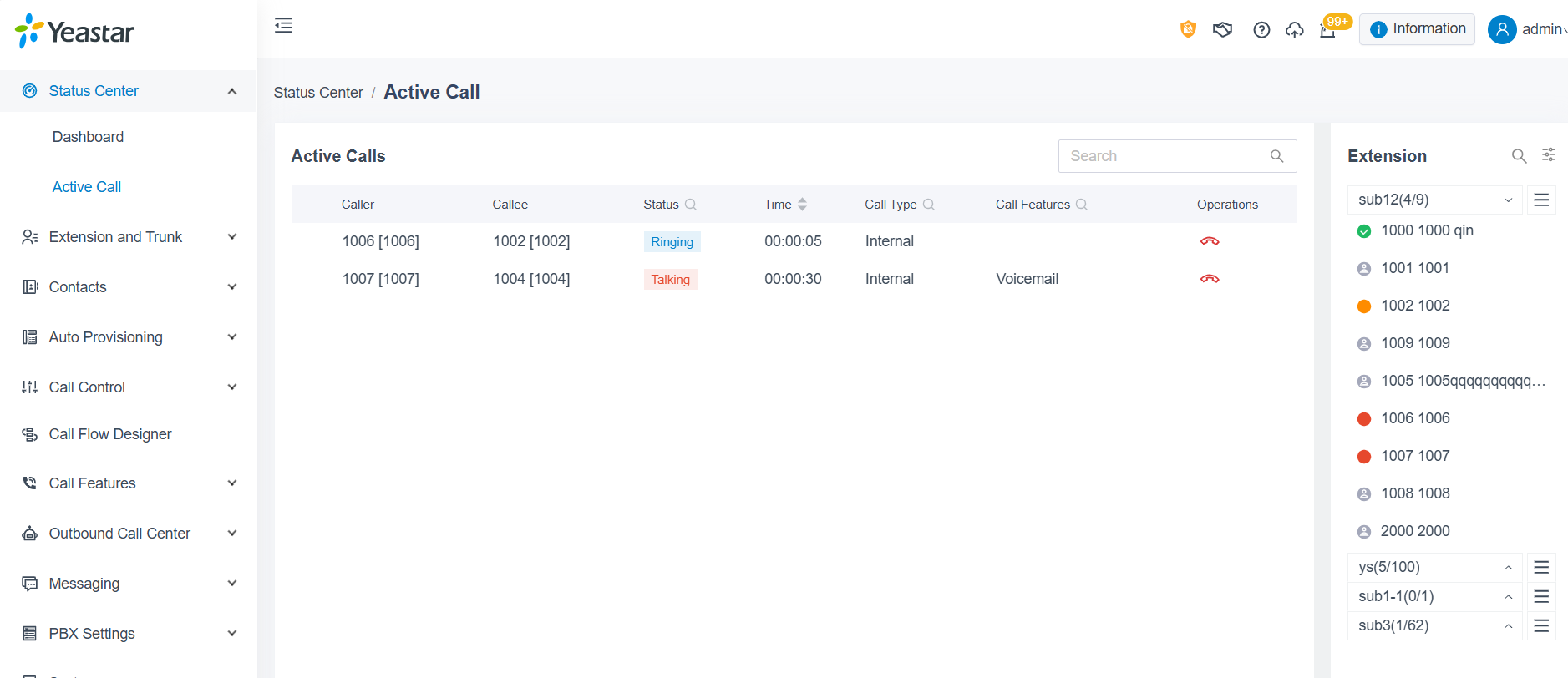
A new Active Call Panel has been added to the PBX management interface, giving super administrators real-time visibility into ongoing calls. Admins can monitor on-going call status, track call progress, and hang up calls directly from the panel when needed, eliminating the need to switch to the extension client.
Additional Optimizations
1. Remote Archiving Enhancement: This release brings a series of improvements to the PBX archiving and backup experience, including detailed records showing task execution status, support for playback and download of archived recordings, and new cleanup rules for recordings. Most notably,It also expands support for third-party server for storage. Supported Platforms:
- New: SharePoint, S3-compatible storage platforms (including Wasabi, Impossible Cloud, Backblaze B2 and others)
- Existing: FTP, SFTP, Amazon S3, and Google Cloud Storage
2. SSO-Only Login Enforcement: To comply with privacy regulations in certain countries, the PBX now allows administrators to enforce Single Sign-On (SSO) as the only login method, disabling other PBX login options. This feature supports major identity providers, including Microsoft Entra ID (Azure Active Directory), Microsoft Active Directory, Google Workspace, and Red Hat.
3. Swedish Language Support
For more details about this P-Series update, visit the release notes here: Cloud Edition | Appliance Edition | Software Edition
Newly Supported Phone Models (Oct 15 – Nov 11)
| Vendor | Phone Model |
|---|---|
| Gigaset | N770 IP PRO |
Check the auto-provision support list for 500+ IP phones.
Related Resources
New Feature Configuration Guides
Step-by-step instructions for:
Keep up with the latest P-Series Updates
- Built-in STIR/SHAKEN Solution, Red Hat SSO Integration & More (Nov 2025)
- Omnichannel Message API, PBX API Bulk Access and More (Oct 2025)
- AI Call Transcription & Summary, Virtual Fax & More (Sep 2025)
- Outbound Bulk Messaging, Group Reply for Queues, Call Compliance & More (Aug 2025)
- Call Flow Designer, Text-to-Speech, Voicemail Transcription, and More (July 2025)
- Presence Customization, Linkus CarPlay, S-Series to P-Series Migration, and More (June 2025)
- Dynamics 365 CRM Integration, Google SSO Integration, and More (May 2025)
- CRM Integration Template, Call Note, and More (March 2025)
- Outbound Call Center, Multi-Time Zone, and More (February 2025)
- Hotel Management, Unreturned Missed Call Report, and More (January 2025)
- Number Masking, NEC IP Phone Auto Provisioning, and More (December 2024)
- Extended YCM Task Support, PSE White Label, and More (November 2024)
Upgrade Your PBX and Start a Free Trial
- For PBX Admins: Upgrade your firmware through the management portal to explore the latest features.
- For New Users: Start a 30-day free trial and discover your favorite features.